
Claudeman
The missing control plane for Claude Code.
Run 20 autonomous agents. Track them in real-time. Never lose work again.




Quick Start •
Features •
Ralph Loops •
API •
Full Docs
---
## The Problem
You're running Claude Code for a complex refactor. 3 hours in:
- 💥 **Session crashes** — your context is gone
- 🔄 **Token limit hit** — manual `/clear` interrupts flow
- 😴 **You went to sleep** — Claude finished at 2am and sat idle for 6 hours
- 🤯 **5 parallel sessions** — which one had the auth fix again?
**Claude Code is powerful. Managing it shouldn't be painful.**
---
## The Solution
```bash
npm install && npm run build
claudeman web
# → http://localhost:3000
```
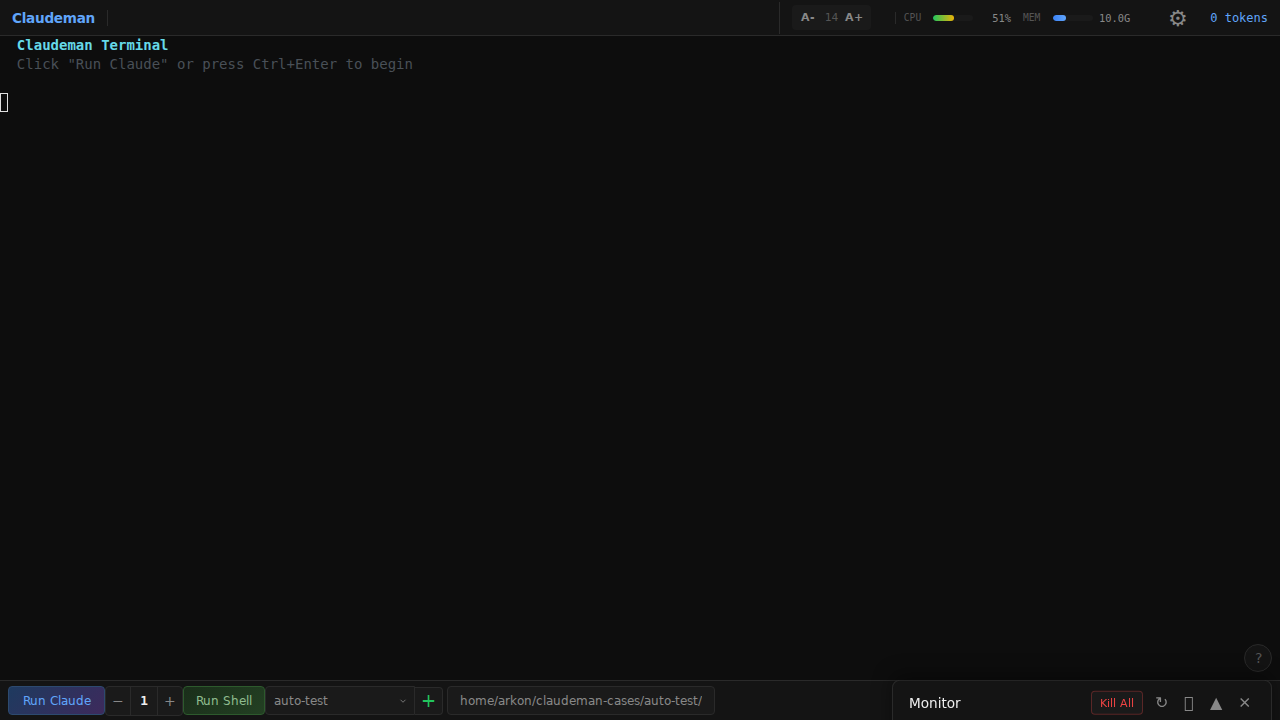
**Claudeman gives you:**
✨ **20 parallel sessions** with independent terminals and state
🔄 **Autonomous respawn** — sessions restart automatically when idle
📊 **Real-time monitoring** — tokens, costs, memory, all at a glance
💾 **GNU Screen persistence** — survives crashes, restarts, network failures
🎯 **Ralph Loop tracking** — detect `COMPLETE` and todos automatically
---
## Quick Start
### 1. Install
```bash
git clone https://github.com/yourusername/claudeman.git
cd claudeman
npm install
npm run build
npm link # Optional: makes 'claudeman' available globally
```
### 2. Launch
```bash
claudeman web
# Or for development: npx tsx src/index.ts web
```
### 3. Create Your First Session
1. Open http://localhost:3000
2. Press `Ctrl+Enter` or click **"Run Claude"**
3. Start coding — your session is now persistent and monitored
---
## Features
### 🖥️ Multi-Session Management
Spawn up to **20 parallel Claude sessions**, each with:
- Full xterm.js terminal with resize support
- Independent token tracking and cost monitoring
- One-click kill or bulk session management
- Tab-based navigation with keyboard shortcuts
### 💾 Session Persistence
**Never lose work again.** Every session runs in GNU Screen:
```bash
# Your session survives:
- Server restarts
- Browser crashes
- Network disconnects
- Machine sleep/wake
# Sessions know they're managed:
CLAUDEMAN_SCREEN=1
CLAUDEMAN_SESSION_ID=abc-123
CLAUDEMAN_SCREEN_NAME=claudeman-myproject
```
### 🔄 Autonomous Respawn
The **Respawn Controller** keeps Claude productive while you're away:
```
WATCHING → SENDING_UPDATE → WAITING → SENDING_CLEAR → SENDING_INIT → repeat
```
Configure it once, let it run for hours:
```bash
curl -X POST localhost:3000/api/sessions/:id/respawn/enable \
-d '{"config": {"updatePrompt": "continue improving the code"}, "durationMinutes": 480}'
```
### 📊 Smart Token Management
| Threshold | Action | Why |
|-----------|--------|-----|
| 110k tokens | Auto `/compact` | Summarize context before limit |
| 140k tokens | Auto `/clear` | Reset to prevent hard-stop |
No more surprise context exhaustion. No more manual intervention.
### 🎯 Ralph Loop Integration
Claudeman **natively tracks Ralph Wiggum loops** running inside Claude:
```
Detected: REFACTOR_COMPLETE
Loop: REFACTOR_COMPLETE (4.2h elapsed)
Tasks: 8/12 complete
```
Auto-enables when it detects:
- `PHRASE` completion patterns
- TodoWrite usage (`- [ ]`, `- [x]`)
- Iteration patterns (`[5/50]`, `Iteration 5 of 50`)
- `/ralph-loop:ralph-loop` commands
### ⚡ 60fps Terminal Streaming
- Server batches at 16ms intervals
- Client uses `requestAnimationFrame` for smooth rendering
- No polling — real-time SSE for instant updates
---
## Ralph Loop
The **Ralph Loop** is Claudeman's killer feature — run Claude autonomously for 24+ hours.
### How It Works
1. **Assign task** → Claude starts working
2. **Monitor output** → Detect completion signals
3. **Auto-cycle** → Clear context, re-init, continue
4. **Time-aware** → Generate follow-up tasks if minimum duration not reached
### Example: Overnight Code Review
```bash
# Queue your tasks
claudeman task add "Review all code in src/ for bugs"
claudeman task add "Add missing test coverage"
claudeman task add "Update documentation"
# Start the loop (run for at least 8 hours)
claudeman ralph start --min-hours 8
# Go to sleep. Wake up to:
# - All tasks completed
# - Auto-generated follow-ups (optimizations, security checks)
# - Full git history of changes
```
### Completion Detection
| Pattern | Example |
|---------|---------|
| Promise tags | `COMPLETE` |
| Custom phrases | `AUTH_REFACTOR_DONE` |
| Common indicators | "All tasks completed", "✓ Done" |
---
## Web Interface
### Keyboard Shortcuts
| Shortcut | Action |
|----------|--------|
| `Ctrl+Enter` | Create case + start session |
| `Ctrl+W` | Close current session |
| `Ctrl+Tab` | Next session |
| `Ctrl+K` | Kill all sessions |
| `Ctrl+L` | Clear terminal |
| `Ctrl++/-` | Adjust font size |
### Monitor Panel
Real-time visibility into:
- **Screen sessions** — status, uptime, mode
- **Background tasks** — Claude's spawned agents in tree view
- **Resource usage** — memory with color-coded warnings
---
## CLI Commands
```bash
# Sessions
claudeman start [--dir ] # Start new session
claudeman list # List all sessions
claudeman session stop # Stop specific session
# Tasks
claudeman task add "prompt" # Add to queue
claudeman task list # Show queue
claudeman task clear # Clear completed
# Ralph Loop
claudeman ralph start [--min-hours 8]
claudeman ralph stop
claudeman ralph status
# Server
claudeman web [-p 8080] # Start web interface
claudeman status # Show overall status
```
### Screen Manager TUI
Interactive terminal UI for direct screen management:
```bash
./scripts/screen-manager.sh # Launch interactive mode
```
| Key | Action |
|-----|--------|
| `↑`/`↓` | Navigate |
| `Enter` | Attach to session |
| `d` | Delete session |
| `D` | Delete ALL |
| `q` | Quit |
---
## API Reference
### Sessions
| Method | Endpoint | Description |
|--------|----------|-------------|
| `GET` | `/api/sessions` | List all |
| `POST` | `/api/sessions` | Create new |
| `DELETE` | `/api/sessions/:id` | Delete |
| `POST` | `/api/sessions/:id/input` | Send input |
| `POST` | `/api/sessions/:id/resize` | Resize terminal |
### Respawn Control
| Method | Endpoint | Description |
|--------|----------|-------------|
| `POST` | `/api/sessions/:id/respawn/start` | Start controller |
| `POST` | `/api/sessions/:id/respawn/stop` | Stop controller |
| `POST` | `/api/sessions/:id/respawn/enable` | Enable with timer |
| `PUT` | `/api/sessions/:id/respawn/config` | Update config |
### Token Management
| Method | Endpoint | Description |
|--------|----------|-------------|
| `POST` | `/api/sessions/:id/auto-compact` | Set compact threshold |
| `POST` | `/api/sessions/:id/auto-clear` | Set clear threshold |
### Monitoring
| Method | Endpoint | Description |
|--------|----------|-------------|
| `GET` | `/api/events` | SSE stream (real-time) |
| `GET` | `/api/status` | Full app state |
| `GET` | `/api/screens` | Screen sessions |
---
## Long-Running Sessions
Claudeman is built for **12-24+ hour autonomous runs**.
### Memory Management
| Buffer | Max Size | Auto-Trim To |
|--------|----------|--------------|
| Terminal | 5MB | 4MB |
| Text output | 2MB | 1.5MB |
| Messages | 1000 | 800 |
| Respawn buffer | 1MB | 512KB |
### Best Practices
1. **Enable auto-compact** at 110k tokens
2. **Enable auto-clear** at 140k tokens
3. **Use screen sessions** for persistence
4. **Commit frequently** in Ralph loops
5. **Monitor resource indicators** in the UI
---
## Why Claudeman?
| Challenge | Without Claudeman | With Claudeman |
|-----------|-------------------|----------------|
| Session crashes | Lost context, manual restart | GNU Screen auto-recovery |
| Token limits | Surprise hard-stops | Auto-compact/clear at thresholds |
| Overnight runs | Claude sits idle | Respawn controller keeps working |
| 5+ parallel sessions | Tab hell, lost track | Web UI with real-time monitoring |
| Ralph loop tracking | Manual checking | Automatic detection + UI |
| Cost tracking | Surprise bills | Real-time per-session costs |
---
## Troubleshooting
### Session Won't Start
```bash
which claude # Is Claude CLI installed?
claude --version # Check version
screen -ls # Check for stuck screens
pkill -f "SCREEN.*claudeman" # Kill all claudeman screens
```
### High Memory Usage
```bash
# Lower the auto-clear threshold
curl -X POST localhost:3000/api/sessions/:id/auto-clear \
-d '{"enabled": true, "threshold": 100000}'
```
### Respawn Not Working
1. Check session is idle (look for `↵ send` indicator)
2. Verify respawn is enabled via API
3. Increase `idleTimeoutMs` if detection is too aggressive
---
## FAQ
**Q: How long can sessions run?**
A: 24+ hours. Buffer management keeps memory stable.
**Q: Does it work with Claude Code hooks?**
A: Yes! Claudeman spawns real Claude CLI processes with full hook support.
**Q: What if the server restarts?**
A: Screen sessions persist. Claudeman auto-discovers them on startup.
**Q: Custom completion phrases?**
A: Yes! Use `YOUR_PHRASE` in prompts.
**Q: How many parallel sessions?**
A: Up to 20 in the UI, 50 via API.
---
## Development
```bash
npm install
npx tsx src/index.ts web # Dev mode (no build needed)
npm run build # Production build
npm test # Run 196 tests
npx tsc --noEmit # Type check
```
See [CLAUDE.md](./CLAUDE.md) for full development documentation.
---
## Contributing
1. Fork the repository
2. Create feature branch (`git checkout -b feature/amazing`)
3. Write tests for new functionality
4. Ensure tests pass (`npm test`)
5. Commit with conventional commits (`feat:`, `fix:`, `docs:`)
6. Open Pull Request
---
## License
MIT License — see [LICENSE](LICENSE) for details.
---
Stop babysitting Claude. Start shipping.
Built for developers who want Claude Code to work while they sleep.