Compare commits
| Author | SHA1 | Date | |
|---|---|---|---|
 github-actions[bot] github-actions[bot]
|
d632d6b0f2 | ||
|
Codeman maintainer
|
89177651a6 | ||
|
Codeman maintainer
|
9644892a5a | ||
|
Codeman maintainer
|
ed6f5f6856 | ||
|
Codeman maintainer
|
586aafa8de | ||
|
Devvyn
|
b3d3c647cf | ||
|
Codeman maintainer
|
1b3f40bba7 | ||
|
Codeman maintainer
|
fc7ffe1ad8 | ||
|
Codeman maintainer
|
b59145effd |
@@ -10,7 +10,7 @@
|
||||
"name": "codeman",
|
||||
"source": "./plugins/codeman",
|
||||
"description": "Drive Codeman from inside a Claude Code session: spawn worker sessions, prompt them, wait for them, read their answers, clean up. Acts only inside a Codeman-managed session.",
|
||||
"version": "1.40.0",
|
||||
"version": "1.41.0",
|
||||
"author": {
|
||||
"name": "Ark0N",
|
||||
"url": "https://github.com/Ark0N"
|
||||
|
||||
@@ -1,5 +1,11 @@
|
||||
# aicodeman
|
||||
|
||||
## 1.41.0
|
||||
|
||||
### Minor Changes
|
||||
|
||||
- b3d3c64: Notifications stay as long as you want. Settings → Notifications has a "Toast display time" and a "Browser notification display time" (seconds, per device; the defaults stay 3s and 8s).
|
||||
|
||||
## 1.40.0
|
||||
|
||||
### Minor Changes
|
||||
|
||||
@@ -248,7 +248,7 @@ Codeman is a Claude Code session manager with web interface and autonomous Ralph
|
||||
|
||||
**MCP server sync** (opt-in, `mcpSyncEnabled`, SYNCED, default OFF; `src/mcp-sync.ts`, `GET`/`POST /api/mcp-sync`): copies each installed, enabled CLI's user-level MCP servers into the others. It is the ONE subsystem that writes another CLI's REAL user config (`~/.claude.json`, `~/.codex/config.toml`, `~/.gemini/*`, opencode's), which is why it is opt-in and admin-only in multi-user mode (both verbs 403 for a non-admin, and the Settings group is hidden for them). Where each CLI keeps the file is registry data, `capabilities.mcpConfig` (`{ path, format, relocation? }`), never a branch on the id. ⚠️ ADDITIVE only: a name already defined, in any shape, is never edited or removed (a different same-name definition is a reported conflict), and a server switched off in its own CLI is never copied. ⚠️ Never write a file that did not parse; re-parse the NEW text and require every added server to read back before the tmp+rename (written through a symlink, previous file kept as `<file>.codeman-bak`, one apply at a time, else 409). ⚠️ A file that receives copied `env`/`headers` (secrets) is left `0600`, and so is the backup. ⚠️ Responses carry server NAMES only, never env values, headers or file text: a parse failure is reported by line and column (`describeMcpSyncError`), never the parser's own message (smol-toml and V8 both quote source). ⚠️ `mcpConfig.relocation` names the env var the CLI reads to move its file (`CLAUDE_CONFIG_DIR`, `CODEX_HOME`, `XDG_CONFIG_HOME`, `GEMINI_CLI_HOME`), resolved from the SERVER env at call time; a relative value reports the target `skipped`, never a guessed write, and a per-session `envOverrides` relocation is not followed. Tests must pass `home` (which drops the `process.env` default) or clear those vars first. → `docs/cli-registry.md` (MCP server sync), `docs/api-reference.md`, `docs/wiki/Settings-Reference.md`
|
||||
|
||||
**Run launch synchronization**: the Run entrypoint holds an in-flight lock and disables `#runBtn` for the whole launch (≥500ms) so a double click cannot create duplicate `w<n>-<case>` sessions; `_ensureCreatedSessionVisible()` runs before `selectSession()` and `_onSessionCreated()` stays an idempotent upsert, so POST-first and SSE-first both render exactly one tab. ⚠️ **Closing has the mirror-image race**: `closeSession()` must read `wasActive` BEFORE its `await` and announce the delete via `_closingSessions`, and `_onSessionDeleted` skips the active-session handoff for ids in that set; never read `activeSessionId` after the fact. The fallback picks the first `sessionOrder` entry still in `sessions`. Tests: `test/session-close-fallback.test.ts`. → [architecture-invariants#run-launch-synchronization](docs/architecture-invariants.md#run-launch-synchronization)
|
||||
**Run launch synchronization**: the Run entrypoint holds an in-flight lock and disables `#runBtn` for the whole launch (≥500ms) so a double click cannot create duplicate `w<n>-<case>` sessions; `_ensureCreatedSessionVisible()` runs before `selectSession()` and `_onSessionCreated()` stays an idempotent upsert, so POST-first and SSE-first both render exactly one tab. ⚠️ **Closing has the mirror-image race**: `closeSession()` must read `wasActive` BEFORE its `await` and announce the delete via `_closingSessions`, and `_onSessionDeleted` skips the active-session handoff for ids in that set; never read `activeSessionId` after the fact. The fallback picks the first `sessionOrder` entry still in `sessions`. ⚠️ The close is OPTIMISTIC: the tab goes and the next one is selected BEFORE the DELETE is sent (upserts skip ids in `_closingSessions`), and only a delete the server refused (checked with a GET) puts the row back; never await the server before hiding the tab. Tests: `test/session-close-fallback.test.ts`. → [architecture-invariants#run-launch-synchronization](docs/architecture-invariants.md#run-launch-synchronization)
|
||||
|
||||
**Session lineage lines** (tab → tab it spawned, `sessionLineageLines`, per-device, desktop default ON): a create request may name its spawner via a `parentSessionId` body field or the `X-Codeman-Parent-Session` header; `resolveParentSessionId()` (route-helpers.ts) resolves it (exact id or unique ≥8-char prefix, live, visible, same owner) and ⚠️ anything unresolvable is DROPPED, never a 400. Rides `toState()`, no new SSE event. ⚠️ Rendering is a LAYER on the existing SVG pass (`_appendLineageConnectionLines` at the tail of `_updateConnectionLinesImmediate()`) and draws EVERY family, emphasizing the selected tab's (what it spawned, and the family it was spawned into: `lineage-family--focus`, thicker, opaque, drawn last; lanes stay in strip order), so a selection change must redraw (`_updateActiveTabImmediate`, gated on `_lineageTotalEdges`), and again on the strip's size `transitionend` (the active tab widens for ~150ms after the redraw). Geometry is pure in `computeLineageTree()`: one rounded orthogonal tree per spawning tab, every route starting at the PARENT (siblings share the trunk exactly), routed ONLY through the gaps between tab rows plus a spine left of every row, so it never crosses a tab or the terminal. ⚠️ That room is reserved in CSS by `.session-tabs.lineage-tree` (`_syncLineageGutter()`, called before the wrap is measured), keyed on whether ANY family exists, never on the selection, or every tab switch would resize the header and the PTY. Colors are keyed on the SPAWNING tab, claimed in strip order for every family, and memoized (never by draw index or selection order). ⚠️ Desktop only (z-index vs the fixed mobile header). ⚠️ Paths must keep `data-agent-id="lineage:<childId>"` (the entrance animation queries it); skip endpoints scrolled out of the strip. → [architecture-invariants#session-lineage-lines-tab--tab-it-spawned](docs/architecture-invariants.md#session-lineage-lines-tab--tab-it-spawned)
|
||||
|
||||
|
||||
@@ -19,16 +19,12 @@
|
||||
<a href="https://github.com/Ark0N/Codeman/commits/master"><img src="https://img.shields.io/github/commit-activity/t/Ark0N/Codeman?style=flat-square&color=1e3a5f" alt="Total commits"></a>
|
||||
</p>
|
||||
|
||||
<p align="center">
|
||||
⭐ <strong>Like Codeman? <a href="https://github.com/Ark0N/Codeman">Give it a star on GitHub!</a></strong> It takes one click and helps more people find the project. ⭐
|
||||
</p>
|
||||
|
||||
<p align="center">
|
||||
<strong>English</strong> • <a href="README.zh-CN.md">简体中文</a>
|
||||
</p>
|
||||
|
||||
<p align="center">
|
||||
<img src="docs/images/subagent-demo-20260724.gif" alt="Codeman — parallel subagent visualization" width="900">
|
||||
<img src="docs/images/tiles-crt-stats-20261010.gif" alt="Codeman tile grid: six live agents (DeepSeek Harness, Claude Code, Pi, Codex, OpenCode and a shell) powering on and off with the CRT animation, with the live header strip showing CPU, memory and Claude plan usage" width="800">
|
||||
</p>
|
||||
|
||||
**Codeman** is a self-hosted mission control for AI coding agents. It spawns Claude Code, OpenCode, Codex, Antigravity, Gemini, Pi, Grok, DeepSeek Harness, or OMP inside persistent tmux sessions, streams the real terminal to any browser, and keeps agents productive after you walk away: it re-prompts on idle, resumes when a usage limit resets, runs scheduled jobs, and shows every background agent working in real time.
|
||||
@@ -54,7 +50,7 @@ The installer asks before every system change, and re-running the same line upda
|
||||
- **Self-hosted and private** - loopback-only by default, MIT licensed, no telemetry, runs entirely on your machine
|
||||
|
||||
<p align="center">
|
||||
<img src="docs/images/codeman-tour-20260724.png" alt="Codeman dashboard tour: session tabs per case, one-click Run for new agents, live plan usage in the header" width="900">
|
||||
<img src="docs/images/codeman-tour-20261010.png" alt="Codeman dashboard tour: session tabs per case, one-click Run for new agents, live plan usage in the header" width="900">
|
||||
</p>
|
||||
|
||||
---
|
||||
@@ -87,17 +83,10 @@ codeman users add alice --admin # create the first admin account
|
||||
codeman web --multiuser # named logins + per-user case spaces
|
||||
```
|
||||
|
||||
**Prefer Docker Compose?** A local-image Compose deployment ships in `docker/`: copy `docker/.env.example` to `docker/.env`, set `CODEMAN_PASSWORD`, then run `bash docker/Start-Codeman.sh` on Linux. Codeman runs in a container and spawns Docker cases as sibling containers through the host socket. After updating, run the script again rather than a plain `docker compose up`, so the rebuilt image, refreshed volumes and entrypoint arrive together. See the [Docker deployment guide](docker/README.md) for direct Compose commands, storage and networking options.
|
||||
|
||||
Details in [Multi-User Mode](#multi-user-mode-opt-in) below.
|
||||
|
||||
**Prefer Docker Compose?** Clone the repo and run one script (Linux, Docker with the Compose v2 plugin):
|
||||
|
||||
```bash
|
||||
git clone https://github.com/Ark0N/Codeman.git && cd Codeman
|
||||
bash docker/Start-Codeman.sh
|
||||
```
|
||||
|
||||
The first run asks three questions (data folder, port, password; Enter takes the default, including a generated password), writes `docker/.env` for you, builds the image and ends on the URL once Codeman answers. The image already includes Claude Code, Codex, Gemini CLI and OpenCode. Codeman runs in a container and spawns Docker cases as sibling containers through the host socket. To update, use **App Settings → Updates** or run the script again rather than a plain `docker compose up`, so the rebuilt image, refreshed volumes and entrypoint arrive together. See the [Docker deployment guide](docker/README.md) for Unraid, direct Compose commands, storage and networking options.
|
||||
|
||||
<details>
|
||||
<summary><strong>Keep it running in the background</strong></summary>
|
||||
|
||||
@@ -433,7 +422,7 @@ The title is templated into the served HTML on first byte, so it's correct from
|
||||
### Tab Alerts
|
||||
|
||||
<p align="center">
|
||||
<img src="docs/images/tab-alerts-glow-20260815.gif" alt="Session tabs: a regular active tab beside a yellow waiting-for-input tab and a red needs-decision tab, both with a breathing glow" width="900">
|
||||
<a href="docs/images/codeman-tab-states-20261010.png"><img src="docs/images/codeman-tab-states-20261010.gif" alt="Tab states, annotated: a working tab with a spinning green ring, a red tab blocked on the agent's question shown below it, and a yellow tab whose turn is done, both alert tabs breathing" width="900"></a>
|
||||
</p>
|
||||
|
||||
Every tab tells you its state at a glance. A running session keeps its green status dot. When a session stops and waits for input, its tab turns **yellow**: steady ring, tinted background, yellow dot, with a slow breathing glow on top. When a permission prompt or question is **blocking** the agent, the tab turns **red** with a faster pulse. The base tint never blinks off, so even a split-second glance (or a screenshot) reads the true state; the ring stays visible while the tab is selected, and a page reload re-arms pending alerts from the server, so a blocked session can never hide behind a fresh-looking tab.
|
||||
@@ -746,6 +735,10 @@ For AI agents and automation that control Codeman without a browser: an agent th
|
||||
|
||||
Everything in this section also ships as a **Claude Code skill** in [`skills/codeman`](skills/codeman/SKILL.md). Install it once and you never paste API docs into a prompt again. You ask for what you want in plain English, and the agent already sitting inside a Codeman session loads the recipes and drives the API itself.
|
||||
|
||||
<p align="center">
|
||||
<a href="docs/images/codeman-skill-20261010.png"><img src="docs/images/codeman-skill-20261010.gif" alt="A real codeman skill run: one plain-English request to a lead session, three Claude Code workers opening as new tabs, and lineage lines from the lead to every worker" width="900"></a>
|
||||
</p>
|
||||
|
||||
#### Step 1: install it
|
||||
|
||||
| How | Command | Scope |
|
||||
|
||||
@@ -24,11 +24,7 @@
|
||||
</p>
|
||||
|
||||
<p align="center">
|
||||
⭐ <strong>喜欢 Codeman?<a href="https://github.com/Ark0N/Codeman">在 GitHub 上给它点个 Star 吧!</a></strong>只需轻点一下,就能帮助更多人发现这个项目。⭐
|
||||
</p>
|
||||
|
||||
<p align="center">
|
||||
<img src="docs/images/subagent-demo-20260724.gif" alt="Codeman — 并行子智能体可视化" width="900">
|
||||
<img src="docs/images/tiles-crt-stats-20261010.gif" alt="Codeman 平铺视图:六个实时智能体(DeepSeek Harness、Claude Code、Pi、Codex、OpenCode 和一个 shell)以 CRT 动画开启与关闭,顶部实时显示 CPU、内存和 Claude 套餐用量" width="800">
|
||||
</p>
|
||||
|
||||
> 本文档由英文版 [`README.md`](README.md) 翻译而来。如有出入,以英文版为准。
|
||||
|
||||
@@ -1,14 +1,9 @@
|
||||
# =============================================================================
|
||||
# Codeman Docker Compose environment template
|
||||
#
|
||||
# Usually there is no need to copy this by hand: on its first run,
|
||||
# `bash docker/Start-Codeman.sh` writes docker/.env from this file, asking for
|
||||
# the data folder, port and password and filling in this host's time zone.
|
||||
# Copy it yourself (to docker/.env) only for a hand-built setup, such as a host
|
||||
# where everything runs as root (Unraid) or Compose started without the script.
|
||||
# Copy this file to .env and set the values for the Docker host.
|
||||
# =============================================================================
|
||||
|
||||
TZ=Etc/UTC
|
||||
TZ=Australia/Perth
|
||||
|
||||
# Optional overrides for direct `docker compose` use. The Bash start script
|
||||
# detects these values from CODEMAN_APPDATA_PATH automatically. Compose uses
|
||||
@@ -28,8 +23,7 @@ CODEMAN_RUNTIME_USER=codeman
|
||||
|
||||
# Required. Persistent Codeman application data, CLI credentials, and session
|
||||
# state are stored here on the host and mounted at the runtime account's home
|
||||
# directory in the container. The value below is the Unraid layout; the first
|
||||
# run of Start-Codeman.sh suggests ~/codeman-docker instead.
|
||||
# directory in the container.
|
||||
CODEMAN_APPDATA_PATH=/mnt/user/appdata/codeman
|
||||
|
||||
# Optional. Absolute host path of this Codeman checkout, mounted at
|
||||
@@ -51,7 +45,6 @@ CODEMAN_IMAGE=codeman:local
|
||||
|
||||
# Required for any network-accessible Codeman instance. Use a unique, strong
|
||||
# password. This file is safe to commit; copy it to .env and set the value.
|
||||
# Start-Codeman.sh refuses to start while it is still `changeme`.
|
||||
CODEMAN_PASSWORD=changeme
|
||||
|
||||
# Required. Username for Codeman HTTP Basic authentication.
|
||||
|
||||
@@ -4,36 +4,7 @@ This folder contains the Compose configuration, server image Dockerfile, and env
|
||||
|
||||
## Start
|
||||
|
||||
From a fresh clone, on Linux:
|
||||
|
||||
```sh
|
||||
git clone https://github.com/Ark0N/Codeman.git && cd Codeman
|
||||
bash docker/Start-Codeman.sh
|
||||
```
|
||||
|
||||
The first run checks that Docker, the Compose v2 plugin (2.27.2 or newer) and the daemon are usable, naming the fix when one is not. It then asks three questions, and Enter takes the default for each:
|
||||
|
||||
| Question | Default |
|
||||
| ----------- | ------------------------------------------------------------------------------------------------------------------------------ |
|
||||
| Data folder | `~/codeman-docker`. It becomes the container's home: Codeman's state, CLI logins, and the `codeman-cases` folder for projects. |
|
||||
| Port | 3000, or the next free port when something on the machine already uses 3000. |
|
||||
| Password | A generated 24-character password, printed once. |
|
||||
|
||||
It writes `docker/.env` from `.env.example` (readable only by you, with this host's time zone filled in), builds the image, starts the container, waits until Codeman answers, and prints the URL to open, the address for other devices on your network, and the commands for logs and stopping. The first build takes a few minutes.
|
||||
|
||||
Your account has to be able to use Docker without sudo. If it cannot, the script says so: run `sudo usermod -aG docker $USER`, then log out and back in. The first run refuses to set up as root, because Codeman's data folder must belong to a normal account.
|
||||
|
||||
| Option | Effect |
|
||||
| -------------- | --------------------------------------------------------------------------------------------------------- |
|
||||
| `--yes`, `-y` | Take every default without asking. This also happens when no terminal is attached. |
|
||||
| `--setup-only` | Write `docker/.env` and stop, so you can review it (or add the optional settings below) before the build. |
|
||||
| `--no-wait` | Start the container without waiting for Codeman to answer. |
|
||||
|
||||
On a first run, `CODEMAN_APPDATA_PATH`, `CODEMAN_PORT` and `CODEMAN_PASSWORD` set in the environment replace the defaults. Every later run reads `docker/.env` as it is, asks nothing and never edits it. Change a value by editing the file and running the script again. The script refuses to start while `CODEMAN_PASSWORD` is still the example's `changeme`, because the container is reachable from your network and controls Docker on the host.
|
||||
|
||||
### Setting it up by hand
|
||||
|
||||
Hosts where everything runs as root (Unraid), and Compose run without the script, take a hand-written `.env` instead. From the repository root, copy the template and set the required values, especially `CODEMAN_PASSWORD` and a `CODEMAN_APPDATA_PATH` owned by an unprivileged account:
|
||||
From the repository root, create the runtime environment file and set the required values, especially `CODEMAN_PASSWORD`.
|
||||
|
||||
```sh
|
||||
cp docker/.env.example docker/.env
|
||||
@@ -227,7 +198,7 @@ volumes:
|
||||
target: /home/${CODEMAN_RUNTIME_USER}
|
||||
```
|
||||
|
||||
Set `CODEMAN_APPDATA_PATH` in `.env` to a directory that the Docker daemon can access. The example value is `/mnt/user/appdata/codeman` (an Unraid layout); the first run of `Start-Codeman.sh` suggests `~/codeman-docker` instead.
|
||||
Set `CODEMAN_APPDATA_PATH` in `.env` to a directory that the Docker daemon can access. The example value is `/mnt/user/appdata/codeman`.
|
||||
|
||||
`CODEMAN_CASES_PATH` is the separate host directory for managed case workspaces. It is mounted into Codeman at the same absolute path, allowing the host Docker daemon to bind it into an isolated case container. Set it to a child directory of `CODEMAN_APPDATA_PATH` unless you deliberately store workspaces elsewhere.
|
||||
|
||||
|
||||
@@ -1,440 +1,15 @@
|
||||
#!/usr/bin/env bash
|
||||
#
|
||||
# Sets up (on the first run) and starts the Docker Compose deployment.
|
||||
#
|
||||
# A new install is two commands, from a fresh clone:
|
||||
#
|
||||
# git clone https://github.com/Ark0N/Codeman.git && cd Codeman
|
||||
# bash docker/Start-Codeman.sh
|
||||
#
|
||||
# With no docker/.env yet, this asks three questions (data folder, port,
|
||||
# password; Enter takes the default each time), writes docker/.env from
|
||||
# .env.example, builds the image, starts the container, waits until Codeman
|
||||
# answers and prints the URL to open. Every later run (after a `git pull`, or
|
||||
# when the in-app updater asks for it) skips the questions and rebuilds and
|
||||
# restarts the stack.
|
||||
#
|
||||
# Usage: bash docker/Start-Codeman.sh [--yes] [--setup-only] [--no-wait]
|
||||
# --yes, -y First run: take every default without asking. Also what
|
||||
# happens when no terminal is attached.
|
||||
# --setup-only Write docker/.env and stop, so it can be reviewed first.
|
||||
# --no-wait Do not wait for Codeman to answer after starting it.
|
||||
#
|
||||
# A first run takes its defaults from CODEMAN_APPDATA_PATH, CODEMAN_PORT and
|
||||
# CODEMAN_PASSWORD when they are set in the environment.
|
||||
#
|
||||
# Bash 3.2 clean on purpose: Docker Desktop on macOS runs this with
|
||||
# /bin/bash 3.2 (no ${x,,}, mapfile, associative arrays or here-strings).
|
||||
|
||||
set -euo pipefail
|
||||
|
||||
script_dir=$(cd -- "$(dirname -- "${BASH_SOURCE[0]}")" && pwd)
|
||||
env_file="$script_dir/.env"
|
||||
example_file="$script_dir/.env.example"
|
||||
compose_file="$script_dir/docker-compose.yaml"
|
||||
|
||||
assume_yes=0
|
||||
setup_only=0
|
||||
no_wait=0
|
||||
for arg in "$@"; do
|
||||
case "$arg" in
|
||||
--yes | -y) assume_yes=1 ;;
|
||||
--setup-only) setup_only=1 ;;
|
||||
--no-wait) no_wait=1 ;;
|
||||
--help | -h)
|
||||
printf 'Usage: bash %s [--yes] [--setup-only] [--no-wait]\n' "$0"
|
||||
printf ' --yes, -y First run: take every default without asking\n'
|
||||
printf ' --setup-only Write docker/.env and stop, so it can be reviewed first\n'
|
||||
printf ' --no-wait Do not wait for Codeman to answer after starting it\n'
|
||||
exit 0
|
||||
;;
|
||||
*)
|
||||
printf 'Error: unrecognised argument: %s\n' "$arg" >&2
|
||||
printf 'Usage: bash %s [--yes] [--setup-only] [--no-wait]\n' "$0" >&2
|
||||
exit 1
|
||||
;;
|
||||
esac
|
||||
done
|
||||
|
||||
# ── Preflight ────────────────────────────────────────────────────────────────
|
||||
# The three things a new machine most often lacks, each named with its fix
|
||||
# before anything else runs (a missing daemon used to surface as a bare Compose
|
||||
# error from the first `config` call below).
|
||||
|
||||
# PURE: is dotted version $1 older than $2? An unparseable $1 is never "older":
|
||||
# the `config --environment` failure handler below still catches a real miss.
|
||||
version_older_than() {
|
||||
local re='^([0-9]+)\.([0-9]+)\.([0-9]+)'
|
||||
local a b c x y z
|
||||
[[ "$1" =~ $re ]] || return 1
|
||||
a=$((10#${BASH_REMATCH[1]})) b=$((10#${BASH_REMATCH[2]})) c=$((10#${BASH_REMATCH[3]}))
|
||||
[[ "$2" =~ $re ]] || return 1
|
||||
x=$((10#${BASH_REMATCH[1]})) y=$((10#${BASH_REMATCH[2]})) z=$((10#${BASH_REMATCH[3]}))
|
||||
if ((a != x)); then
|
||||
((a < x))
|
||||
return
|
||||
fi
|
||||
if ((b != y)); then
|
||||
((b < y))
|
||||
return
|
||||
fi
|
||||
((c < z))
|
||||
}
|
||||
|
||||
# `docker compose config --environment`, which everything below reads the
|
||||
# settings through, first shipped in Compose v2.27.2 (docker/compose#11891).
|
||||
min_compose_version='2.27.2'
|
||||
|
||||
if ! command -v docker >/dev/null 2>&1; then
|
||||
printf 'Error: Docker is not installed (no `docker` command on PATH).\n' >&2
|
||||
printf 'Install Docker Engine (Linux: https://docs.docker.com/engine/install/) or\n' >&2
|
||||
printf 'Docker Desktop (macOS, Windows), then rerun this script.\n' >&2
|
||||
exit 1
|
||||
fi
|
||||
|
||||
if ! docker compose version >/dev/null 2>&1; then
|
||||
printf 'Error: the Docker Compose v2 plugin is missing (`docker compose version` failed).\n' >&2
|
||||
if command -v docker-compose >/dev/null 2>&1; then
|
||||
printf 'The standalone `docker-compose` found on PATH is not a substitute for it.\n' >&2
|
||||
fi
|
||||
printf 'Install it from https://docs.docker.com/compose/install/linux/\n' >&2
|
||||
printf '(Debian/Ubuntu with Docker'"'"'s apt repository: sudo apt-get install docker-compose-plugin).\n' >&2
|
||||
exit 1
|
||||
fi
|
||||
|
||||
compose_version=$(docker compose version --short 2>/dev/null || true)
|
||||
compose_version=${compose_version#v}
|
||||
if version_older_than "$compose_version" "$min_compose_version"; then
|
||||
printf 'Error: Docker Compose %s is too old; Codeman needs %s or newer.\n' \
|
||||
"$compose_version" "$min_compose_version" >&2
|
||||
printf 'Update the Compose plugin (https://docs.docker.com/compose/install/linux/), then rerun.\n' >&2
|
||||
exit 1
|
||||
fi
|
||||
|
||||
if ! docker_info_error=$(docker info --format '{{.ServerVersion}}' 2>&1 >/dev/null); then
|
||||
case "$docker_info_error" in
|
||||
*[Pp]ermission\ denied*)
|
||||
account=$(id -un 2>/dev/null || printf 'your account')
|
||||
printf 'Error: %s is not allowed to use Docker yet.\n' "$account" >&2
|
||||
printf 'Add it to the docker group, then log out and back in (or run `newgrp docker`):\n' >&2
|
||||
printf ' sudo usermod -aG docker %s\n' "$account" >&2
|
||||
printf 'Prefer that over running this script with sudo: Codeman'"'"'s data folder has to\n' >&2
|
||||
printf 'belong to a normal account, and a first run refuses to set it up as root.\n' >&2
|
||||
;;
|
||||
*)
|
||||
printf 'Error: the Docker daemon is not reachable. Start it (Linux: sudo systemctl start\n' >&2
|
||||
printf 'docker; macOS and Windows: open Docker Desktop), then rerun this script.\n' >&2
|
||||
printf 'Docker said: %s\n' "$docker_info_error" >&2
|
||||
;;
|
||||
esac
|
||||
exit 1
|
||||
fi
|
||||
|
||||
# ── First-run setup ──────────────────────────────────────────────────────────
|
||||
# Runs only while docker/.env does not exist, and never edits an existing one.
|
||||
# The file is generated FROM .env.example (its KEY= lines rewritten in place),
|
||||
# so every key the example sets is present: the in-app updater refuses an
|
||||
# update while the user's .env lacks a key the target release's example sets
|
||||
# (diffRequiredEnvKeys, src/web/self-update.ts), and a hand-picked subset would
|
||||
# trip that on the very next release.
|
||||
|
||||
first_run=0
|
||||
generated_password=''
|
||||
|
||||
is_interactive() {
|
||||
[[ "$assume_yes" != '1' && "${CODEMAN_NONINTERACTIVE:-0}" != '1' && -t 0 ]]
|
||||
}
|
||||
|
||||
# Reads one answer into $answer (with -s, without echo). End of input (Ctrl+D)
|
||||
# cancels the setup rather than looping on a default that was just refused.
|
||||
ask() {
|
||||
if ! IFS= read -r "$@" answer; then
|
||||
printf '\nSetup cancelled; nothing was written.\n' >&2
|
||||
exit 1
|
||||
fi
|
||||
}
|
||||
|
||||
# True when something on this host already accepts connections on the port.
|
||||
# bash's /dev/tcp needs no extra tool on Linux or macOS.
|
||||
port_in_use() {
|
||||
(exec 3<>"/dev/tcp/127.0.0.1/$1") 2>/dev/null || (exec 3<>"/dev/tcp/::1/$1") 2>/dev/null
|
||||
}
|
||||
|
||||
first_free_port() {
|
||||
local port=$1
|
||||
local last=$(($1 + 99))
|
||||
while ((port <= last)); do
|
||||
if ! port_in_use "$port"; then
|
||||
printf '%s' "$port"
|
||||
return 0
|
||||
fi
|
||||
port=$((port + 1))
|
||||
done
|
||||
printf '%s' "$1"
|
||||
}
|
||||
|
||||
host_timezone() {
|
||||
local tz='' re='^[A-Za-z0-9_+/-]+$'
|
||||
if [[ -r /etc/timezone ]]; then
|
||||
tz=$(head -n1 /etc/timezone 2>/dev/null) || tz=''
|
||||
fi
|
||||
if [[ -z "$tz" ]] && command -v timedatectl >/dev/null 2>&1; then
|
||||
tz=$(timedatectl show -p Timezone --value 2>/dev/null) || tz=''
|
||||
fi
|
||||
if [[ -z "$tz" && -L /etc/localtime ]]; then
|
||||
tz=$(readlink /etc/localtime 2>/dev/null) || tz=''
|
||||
tz=${tz##*zoneinfo/}
|
||||
fi
|
||||
if [[ ! "$tz" =~ $re ]]; then
|
||||
tz='Etc/UTC'
|
||||
fi
|
||||
printf '%s' "$tz"
|
||||
}
|
||||
|
||||
generate_password() {
|
||||
local pw=''
|
||||
# `|| true`: head closing the pipe early is the normal case, not a failure.
|
||||
pw=$(LC_ALL=C tr -dc 'A-Za-z0-9' </dev/urandom 2>/dev/null | head -c 24) || true
|
||||
if ((${#pw} != 24)) && command -v openssl >/dev/null 2>&1; then
|
||||
pw=$(openssl rand -base64 48 | LC_ALL=C tr -dc 'A-Za-z0-9' | head -c 24) || true
|
||||
fi
|
||||
if ((${#pw} != 24)); then
|
||||
printf 'Error: could not generate a password; set CODEMAN_PASSWORD and rerun.\n' >&2
|
||||
exit 1
|
||||
fi
|
||||
printf '%s' "$pw"
|
||||
}
|
||||
|
||||
# Compose reads .env values with its own dotenv rules: `$` interpolates and an
|
||||
# unquoted ` #` starts a comment. A single-quoted value is taken literally, so
|
||||
# anything beyond plain path characters is written that way (the accept_*
|
||||
# checks below refuse the one character it cannot hold, a single quote).
|
||||
env_quote() {
|
||||
local re='^[A-Za-z0-9._/@:+-]*$'
|
||||
if [[ "$1" =~ $re ]]; then
|
||||
printf '%s' "$1"
|
||||
else
|
||||
printf "'%s'" "$1"
|
||||
fi
|
||||
}
|
||||
|
||||
repo_root=$(cd -- "$script_dir/.." && pwd)
|
||||
|
||||
# Sets setup_appdata, or says why the answer cannot be used and returns 1.
|
||||
accept_appdata_path() {
|
||||
local p=$1
|
||||
case "$p" in
|
||||
'~') p=$HOME ;;
|
||||
'~/'*) p="$HOME/${p#\~/}" ;;
|
||||
esac
|
||||
while [[ "$p" == */ && "$p" != / ]]; do
|
||||
p=${p%/}
|
||||
done
|
||||
case "$p" in
|
||||
*"'"* | *$'\n'*)
|
||||
printf ' The path cannot contain a single quote or a line break.\n' >&2
|
||||
return 1
|
||||
;;
|
||||
esac
|
||||
if [[ "$p" != /* ]]; then
|
||||
printf ' Use an absolute path, one that starts with /.\n' >&2
|
||||
return 1
|
||||
fi
|
||||
# The folder becomes the container's home directory, so its `.codeman` is
|
||||
# the server's state directory: $HOME itself would share state.json with a
|
||||
# Codeman installed directly on this machine.
|
||||
if [[ "$p" == / || "$p" == "$HOME" ]]; then
|
||||
printf ' Pick a folder of its own; it becomes the container'"'"'s home directory.\n' >&2
|
||||
return 1
|
||||
fi
|
||||
if [[ "$p" == "$HOME/.codeman" || "$p" == "$HOME/.codeman/"* ]]; then
|
||||
printf ' %s belongs to a Codeman installed directly on this machine; pick another folder.\n' "$HOME/.codeman" >&2
|
||||
return 1
|
||||
fi
|
||||
# Inside the checkout it would sit in the image build context (COPY . .),
|
||||
# CLI logins and all.
|
||||
if [[ "$p" == "$repo_root" || "$p" == "$repo_root/"* ]]; then
|
||||
printf ' Pick a folder outside %s; that folder is copied into the image when it is built.\n' "$repo_root" >&2
|
||||
return 1
|
||||
fi
|
||||
setup_appdata=$p
|
||||
}
|
||||
|
||||
accept_port() {
|
||||
local re='^[0-9]+$'
|
||||
if [[ ! "$1" =~ $re ]] || ((10#$1 < 1 || 10#$1 > 65535)); then
|
||||
printf ' Use a port number from 1 to 65535.\n' >&2
|
||||
return 1
|
||||
fi
|
||||
setup_port=$((10#$1))
|
||||
}
|
||||
|
||||
accept_password() {
|
||||
case "$1" in
|
||||
*"'"* | *$'\n'*)
|
||||
printf ' The password cannot contain a single quote or a line break.\n' >&2
|
||||
return 1
|
||||
;;
|
||||
esac
|
||||
if ((${#1} < 8)); then
|
||||
printf ' Use at least 8 characters.\n' >&2
|
||||
return 1
|
||||
fi
|
||||
if [[ "$1" == 'changeme' ]]; then
|
||||
printf ' That is the published example password; pick another.\n' >&2
|
||||
return 1
|
||||
fi
|
||||
setup_password=$1
|
||||
}
|
||||
|
||||
write_env_file() {
|
||||
local tmp="$env_file.tmp.$$" line
|
||||
(
|
||||
umask 077
|
||||
{
|
||||
printf '# Written by Start-Codeman.sh on its first run, from .env.example.\n'
|
||||
printf '# Change any value here, then rerun: bash docker/Start-Codeman.sh\n'
|
||||
printf '\n'
|
||||
while IFS= read -r line || [[ -n "$line" ]]; do
|
||||
case "$line" in
|
||||
TZ=*) printf 'TZ=%s\n' "$(env_quote "$setup_tz")" ;;
|
||||
CODEMAN_APPDATA_PATH=*) printf 'CODEMAN_APPDATA_PATH=%s\n' "$(env_quote "$setup_appdata")" ;;
|
||||
CODEMAN_CASES_PATH=*) printf 'CODEMAN_CASES_PATH=%s\n' "$(env_quote "$setup_cases")" ;;
|
||||
CODEMAN_PORT=*) printf 'CODEMAN_PORT=%s\n' "$setup_port" ;;
|
||||
CODEMAN_PASSWORD=*) printf 'CODEMAN_PASSWORD=%s\n' "$(env_quote "$setup_password")" ;;
|
||||
*) printf '%s\n' "$line" ;;
|
||||
esac
|
||||
done <"$example_file"
|
||||
} >"$tmp"
|
||||
)
|
||||
chmod 600 "$tmp"
|
||||
mv -- "$tmp" "$env_file"
|
||||
}
|
||||
|
||||
run_first_run_setup() {
|
||||
local answer again default_appdata default_port port_note='' password_note username
|
||||
if [[ "$EUID" == '0' ]]; then
|
||||
printf 'Error: %s does not exist yet, and the first-run setup does not run as root.\n' "$env_file" >&2
|
||||
printf 'Run it as the normal account that should own Codeman'"'"'s data (that account\n' >&2
|
||||
printf 'needs to be in the docker group). On a root-only host such as Unraid, copy\n' >&2
|
||||
printf '%s to %s by hand instead,\n' "$example_file" "$env_file" >&2
|
||||
printf 'point CODEMAN_APPDATA_PATH at a folder an unprivileged account owns, set\n' >&2
|
||||
printf 'CODEMAN_PASSWORD, and rerun.\n' >&2
|
||||
exit 1
|
||||
fi
|
||||
if [[ ! -f "$example_file" ]]; then
|
||||
printf 'Error: %s is missing, so there is nothing to build docker/.env from.\n' "$example_file" >&2
|
||||
exit 1
|
||||
fi
|
||||
|
||||
default_appdata=${CODEMAN_APPDATA_PATH:-$HOME/codeman-docker}
|
||||
if [[ -n "${CODEMAN_PORT:-}" ]]; then
|
||||
default_port=$CODEMAN_PORT
|
||||
else
|
||||
default_port=$(first_free_port 3000)
|
||||
if [[ "$default_port" != '3000' ]]; then
|
||||
port_note=' (3000 is already taken on this machine)'
|
||||
fi
|
||||
fi
|
||||
setup_tz=$(host_timezone)
|
||||
username=$(sed -n 's/^CODEMAN_USERNAME=//p' "$example_file" | head -n1)
|
||||
|
||||
printf '\nCodeman Docker setup\n'
|
||||
printf 'There is no docker/.env yet, so this first run writes one. Enter takes the [default].\n\n'
|
||||
|
||||
if is_interactive; then
|
||||
while :; do
|
||||
printf ' Data folder (state, CLI logins, projects) [%s]: ' "$default_appdata"
|
||||
ask
|
||||
if [[ -z "$answer" ]]; then
|
||||
answer=$default_appdata
|
||||
fi
|
||||
if accept_appdata_path "$answer"; then
|
||||
break
|
||||
fi
|
||||
done
|
||||
while :; do
|
||||
printf ' Port [%s]%s: ' "$default_port" "$port_note"
|
||||
ask
|
||||
if [[ -z "$answer" ]]; then
|
||||
answer=$default_port
|
||||
fi
|
||||
if accept_port "$answer"; then
|
||||
break
|
||||
fi
|
||||
done
|
||||
if [[ -n "${CODEMAN_PASSWORD:-}" ]]; then
|
||||
accept_password "$CODEMAN_PASSWORD" || exit 1
|
||||
printf ' Password: taken from CODEMAN_PASSWORD\n'
|
||||
else
|
||||
while :; do
|
||||
printf ' Password [Enter generates a strong one]: '
|
||||
ask -s
|
||||
printf '\n'
|
||||
if [[ -z "$answer" ]]; then
|
||||
setup_password=$(generate_password)
|
||||
generated_password=$setup_password
|
||||
break
|
||||
fi
|
||||
if ! accept_password "$answer"; then
|
||||
continue
|
||||
fi
|
||||
printf ' Repeat the password: '
|
||||
again=$answer
|
||||
ask -s
|
||||
printf '\n'
|
||||
if [[ "$again" == "$answer" ]]; then
|
||||
break
|
||||
fi
|
||||
printf ' The two entries differ; try again.\n' >&2
|
||||
done
|
||||
fi
|
||||
else
|
||||
printf ' No questions asked (no terminal attached, or --yes): taking the defaults.\n'
|
||||
accept_appdata_path "$default_appdata" || exit 1
|
||||
accept_port "$default_port" || exit 1
|
||||
if [[ -n "${CODEMAN_PASSWORD:-}" ]]; then
|
||||
accept_password "$CODEMAN_PASSWORD" || exit 1
|
||||
else
|
||||
setup_password=$(generate_password)
|
||||
generated_password=$setup_password
|
||||
fi
|
||||
fi
|
||||
|
||||
if port_in_use "$setup_port"; then
|
||||
printf ' Note: something on this machine already listens on port %s, so starting will\n' "$setup_port" >&2
|
||||
printf ' fail until it stops or CODEMAN_PORT in docker/.env names a free port.\n' >&2
|
||||
fi
|
||||
|
||||
setup_cases="$setup_appdata/codeman-cases"
|
||||
write_env_file
|
||||
first_run=1
|
||||
|
||||
if [[ -n "$generated_password" ]]; then
|
||||
password_note="$generated_password (generated; shown again once Codeman is up)"
|
||||
else
|
||||
password_note='the one you chose'
|
||||
fi
|
||||
printf '\nWrote %s (readable only by you):\n' "$env_file"
|
||||
printf ' Data folder %s\n' "$setup_appdata"
|
||||
printf ' Projects %s\n' "$setup_cases"
|
||||
printf ' Port %s\n' "$setup_port"
|
||||
printf ' Time zone %s\n' "$setup_tz"
|
||||
printf ' Username %s\n' "${username:-admin}"
|
||||
printf ' Password %s\n' "$password_note"
|
||||
printf 'Everything else in it is optional (Git identity, private repositories, reverse\n'
|
||||
printf 'proxy); docker/README.md explains each setting.\n\n'
|
||||
}
|
||||
|
||||
if [[ ! -f "$env_file" ]]; then
|
||||
run_first_run_setup
|
||||
elif [[ "$setup_only" == '1' ]]; then
|
||||
printf '%s already exists; the setup only runs when it does not, and never edits it.\n' "$env_file"
|
||||
fi
|
||||
|
||||
if [[ "$setup_only" == '1' ]]; then
|
||||
printf 'Start Codeman with: bash %s\n' "$script_dir/Start-Codeman.sh"
|
||||
exit 0
|
||||
printf 'Error: Docker environment file is missing: %s\n' "$env_file" >&2
|
||||
printf 'Create it from %s/.env.example before starting Codeman.\n' "$script_dir" >&2
|
||||
exit 1
|
||||
fi
|
||||
|
||||
# Naming a Compose file explicitly disables Compose's automatic discovery of
|
||||
@@ -457,54 +32,18 @@ for override_file in "$override_yml" "$override_yaml"; do
|
||||
fi
|
||||
done
|
||||
compose_command=(docker compose --env-file "$env_file" "${compose_files[@]}")
|
||||
|
||||
# Every setting is read through Compose's own resolution (shell environment over
|
||||
# .env, quoting, interpolation), once. A failure is reported here with what
|
||||
# Compose said, instead of `set -e` ending the script at an empty value.
|
||||
compose_stderr=$(mktemp "${TMPDIR:-/tmp}/codeman-compose.XXXXXX")
|
||||
if ! compose_environment=$("${compose_command[@]}" config --environment 2>"$compose_stderr"); then
|
||||
if grep -q -- 'unknown flag: --environment' "$compose_stderr"; then
|
||||
printf 'Error: this Docker Compose (%s) is too old; Codeman needs %s or newer.\n' \
|
||||
"${compose_version:-unknown version}" "$min_compose_version" >&2
|
||||
else
|
||||
cat -- "$compose_stderr" >&2
|
||||
printf 'Error: `docker compose config` could not read %s and the Compose files (see above).\n' "$env_file" >&2
|
||||
fi
|
||||
rm -f -- "$compose_stderr"
|
||||
exit 1
|
||||
fi
|
||||
# Compose's own warnings (an unset variable, say) still reach the terminal, once.
|
||||
cat -- "$compose_stderr" >&2
|
||||
rm -f -- "$compose_stderr"
|
||||
|
||||
# No early `exit` in the awk program: it reads all of its input, so printf never
|
||||
# meets a closed pipe (a SIGPIPE would end the script under pipefail).
|
||||
compose_env_value() {
|
||||
printf '%s\n' "$compose_environment" |
|
||||
awk -F= -v key="$1" '$1 == key && !found { sub(/^[^=]*=/, ""); print; found = 1 }'
|
||||
}
|
||||
appdata_path=$(compose_env_value CODEMAN_APPDATA_PATH)
|
||||
cases_path=$(compose_env_value CODEMAN_CASES_PATH)
|
||||
docker_socket=$(compose_env_value DOCKER_SOCKET)
|
||||
codeman_port=$(compose_env_value CODEMAN_PORT)
|
||||
codeman_username=$(compose_env_value CODEMAN_USERNAME)
|
||||
codeman_password=$(compose_env_value CODEMAN_PASSWORD)
|
||||
|
||||
# The container publishes its port on every interface and holds the host's
|
||||
# Docker socket, so whoever signs in to Codeman can run anything on this host.
|
||||
# The example's placeholder is a published password: refuse it outright.
|
||||
if [[ "$codeman_password" == 'changeme' ]]; then
|
||||
printf 'Error: CODEMAN_PASSWORD is still the example value "changeme".\n' >&2
|
||||
printf 'Codeman is reachable from your network and controls Docker on this machine, so\n' >&2
|
||||
printf 'set a real password in %s, then rerun this script.\n' "$env_file" >&2
|
||||
exit 1
|
||||
fi
|
||||
if [[ -z "$codeman_password" ]]; then
|
||||
printf 'Warning: CODEMAN_PASSWORD is empty, so anyone who can reach port %s can use Codeman,\n' "${codeman_port:-?}" >&2
|
||||
printf 'which controls Docker on this machine. Set one in %s unless something in front of it\n' "$env_file" >&2
|
||||
printf 'already asks for a login.\n' >&2
|
||||
fi
|
||||
unset codeman_password
|
||||
appdata_path=$(
|
||||
"${compose_command[@]}" config --environment |
|
||||
awk -F= '$1 == "CODEMAN_APPDATA_PATH" { sub(/^[^=]*=/, ""); print; exit }'
|
||||
)
|
||||
cases_path=$(
|
||||
"${compose_command[@]}" config --environment |
|
||||
awk -F= '$1 == "CODEMAN_CASES_PATH" { sub(/^[^=]*=/, ""); print; exit }'
|
||||
)
|
||||
docker_socket=$(
|
||||
"${compose_command[@]}" config --environment |
|
||||
awk -F= '$1 == "DOCKER_SOCKET" { sub(/^[^=]*=/, ""); print; exit }'
|
||||
)
|
||||
|
||||
if [[ -z "$appdata_path" ]]; then
|
||||
printf 'Error: CODEMAN_APPDATA_PATH is not set in %s\n' "$env_file" >&2
|
||||
@@ -517,11 +56,7 @@ if [[ ! -d "$appdata_path" ]]; then
|
||||
printf 'Create it as the unprivileged account that should run Codeman, then retry.\n' >&2
|
||||
exit 1
|
||||
fi
|
||||
if ! mkdir -p -- "$appdata_path"; then
|
||||
printf 'Error: cannot create CODEMAN_APPDATA_PATH: %s\n' "$appdata_path" >&2
|
||||
printf 'Create it as the account that should run Codeman, or pick another folder in %s.\n' "$env_file" >&2
|
||||
exit 1
|
||||
fi
|
||||
mkdir -p -- "$appdata_path"
|
||||
fi
|
||||
|
||||
if [[ -z "$cases_path" ]]; then
|
||||
@@ -579,7 +114,6 @@ fi
|
||||
|
||||
if [[ -z "$docker_socket" || ! -S "$docker_socket" ]]; then
|
||||
printf 'Error: DOCKER_SOCKET is not a Unix socket: %s\n' "${docker_socket:-<unset>}" >&2
|
||||
printf 'Set DOCKER_SOCKET in %s to the socket your Docker daemon listens on.\n' "$env_file" >&2
|
||||
exit 1
|
||||
fi
|
||||
|
||||
@@ -675,148 +209,6 @@ else
|
||||
printf 'Warning: no sha256 tool found; in-app updates will not detect environment changes.\n' >&2
|
||||
fi
|
||||
|
||||
# ── Start, then wait until Codeman answers ──────────────────────────────────
|
||||
# `up -d` returns as soon as the container exists, which says nothing about the
|
||||
# server inside it. The wait asks the server itself through `docker exec` (the
|
||||
# same request as the compose healthcheck, which first runs only after its 30 s
|
||||
# interval), notices a crash loop by the restart count moving, and ends on the
|
||||
# URL to open. Docker's own view works with any network setup, macvlan included.
|
||||
|
||||
logs_hint="cd $(printf '%q' "$script_dir") && docker compose logs -f codeman"
|
||||
|
||||
# Docker's own output above says what broke; this adds the next step. A first
|
||||
# build fetches hundreds of packages, so a network hiccup is the usual cause of
|
||||
# a failed build, and a rerun picks up from Docker's layer cache.
|
||||
compose_failed() {
|
||||
printf '\nError: `docker compose %s` failed (see the output above).\n' "$1" >&2
|
||||
case "$1" in
|
||||
build)
|
||||
printf 'A network hiccup while building is the usual cause; rerunning this script\n' >&2
|
||||
printf 'resumes from Docker'"'"'s cache.\n' >&2
|
||||
;;
|
||||
*--build*)
|
||||
printf 'If it stopped while building the image, a network hiccup is the usual cause,\n' >&2
|
||||
printf 'and rerunning this script resumes from Docker'"'"'s cache.\n' >&2
|
||||
;;
|
||||
esac
|
||||
exit 1
|
||||
}
|
||||
|
||||
lan_ip() {
|
||||
local ip=''
|
||||
if [[ "$(uname -s)" == 'Darwin' ]]; then
|
||||
ip=$(ipconfig getifaddr en0 2>/dev/null || ipconfig getifaddr en1 2>/dev/null) || ip=''
|
||||
else
|
||||
# The address the default route leaves from: the first one `hostname -I`
|
||||
# lists is often docker0 or a VPN interface.
|
||||
ip=$(ip -4 route get 1.1.1.1 2>/dev/null | sed -n 's/.* src \([0-9.]*\).*/\1/p') || ip=''
|
||||
ip=${ip%%$'\n'*}
|
||||
if [[ -z "$ip" ]]; then
|
||||
ip=$(hostname -I 2>/dev/null) || ip=''
|
||||
ip=${ip%% *}
|
||||
fi
|
||||
fi
|
||||
printf '%s' "$ip"
|
||||
}
|
||||
|
||||
print_access_summary() {
|
||||
local cid=$1 published host_port bind_host lan addresses dir_q
|
||||
dir_q=$(printf '%q' "$script_dir")
|
||||
published=$("${compose_command[@]}" port codeman "$codeman_port" 2>/dev/null) || published=''
|
||||
published=${published%%$'\n'*}
|
||||
printf '\n'
|
||||
if [[ -n "$published" ]]; then
|
||||
host_port=${published##*:}
|
||||
bind_host=${published%:*}
|
||||
printf ' Open http://localhost:%s\n' "$host_port"
|
||||
case "$bind_host" in
|
||||
127.0.0.1 | '[::1]' | ::1) ;;
|
||||
*)
|
||||
lan=$(lan_ip)
|
||||
if [[ -n "$lan" ]]; then
|
||||
printf ' http://%s:%s (from other devices on your network)\n' "$lan" "$host_port"
|
||||
fi
|
||||
;;
|
||||
esac
|
||||
else
|
||||
addresses=$(docker inspect --format '{{range .NetworkSettings.Networks}}{{.IPAddress}} {{end}}' "$cid" 2>/dev/null) || addresses=''
|
||||
printf ' Open http://<container address>:%s (no host port is published; container addresses: %s)\n' \
|
||||
"$codeman_port" "${addresses:-unknown}"
|
||||
fi
|
||||
printf ' Sign in %s, with the CODEMAN_PASSWORD from %s\n' "${codeman_username:-admin}" "$env_file"
|
||||
if [[ -n "$generated_password" ]]; then
|
||||
printf ' Password %s (generated on this first run)\n' "$generated_password"
|
||||
fi
|
||||
if [[ "$first_run" == '1' ]]; then
|
||||
printf '\n Next: start a session from the dashboard and log its CLI in once. Logins are\n'
|
||||
printf ' kept in %s, so they survive rebuilds.\n' "$appdata_path"
|
||||
fi
|
||||
printf '\n'
|
||||
printf ' Logs cd %s && docker compose logs -f codeman\n' "$dir_q"
|
||||
printf ' Stop cd %s && docker compose down\n' "$dir_q"
|
||||
printf ' Update App Settings > Updates in the dashboard, or rerun this script\n'
|
||||
}
|
||||
|
||||
report_when_ready() {
|
||||
local cid state status health restarts first_restarts='' waited=0 limit=180 probe dots=0
|
||||
cid=$("${compose_command[@]}" ps -q codeman 2>/dev/null) || cid=''
|
||||
cid=${cid%%$'\n'*}
|
||||
if [[ -z "$cid" ]]; then
|
||||
printf 'Error: Compose started no codeman container. Look at: %s\n' "$logs_hint" >&2
|
||||
return 1
|
||||
fi
|
||||
if [[ "$no_wait" == '1' ]]; then
|
||||
printf '\nCodeman is starting (--no-wait given, so not waiting for it).\n'
|
||||
print_access_summary "$cid"
|
||||
return 0
|
||||
fi
|
||||
if [[ -t 1 ]]; then
|
||||
dots=1
|
||||
fi
|
||||
probe="fetch('http://127.0.0.1:${codeman_port}/api/status').then((r) => process.exit(r.status < 500 ? 0 : 1)).catch(() => process.exit(1))"
|
||||
printf 'Waiting for Codeman to answer...'
|
||||
while :; do
|
||||
state=$(docker inspect --format '{{.State.Status}}|{{if .State.Health}}{{.State.Health.Status}}{{end}}|{{.RestartCount}}' "$cid" 2>/dev/null) || state='missing||0'
|
||||
status=${state%%|*}
|
||||
health=${state#*|}
|
||||
health=${health%%|*}
|
||||
restarts=${state##*|}
|
||||
if [[ -z "$first_restarts" ]]; then
|
||||
first_restarts=$restarts
|
||||
fi
|
||||
if [[ "$health" == 'healthy' ]] ||
|
||||
{ [[ "$status" == 'running' ]] && docker exec "$cid" node -e "$probe" >/dev/null 2>&1; }; then
|
||||
printf ' ready.\n'
|
||||
print_access_summary "$cid"
|
||||
return 0
|
||||
fi
|
||||
if [[ "$status" == 'exited' || "$status" == 'dead' || "$status" == 'missing' || "$status" == 'restarting' ||
|
||||
"$health" == 'unhealthy' || "$restarts" != "$first_restarts" ]]; then
|
||||
printf '\n'
|
||||
printf 'Error: Codeman did not come up (container %s). Its last log lines:\n\n' "${status:-unknown}" >&2
|
||||
"${compose_command[@]}" logs --tail 40 codeman >&2 || true
|
||||
printf '\nFollow the full log with: %s\n' "$logs_hint" >&2
|
||||
return 1
|
||||
fi
|
||||
if ((waited >= limit)); then
|
||||
printf '\n'
|
||||
printf 'Warning: Codeman has not answered after %s seconds. It may still be starting;\n' "$limit" >&2
|
||||
printf 'follow it with: %s\n' "$logs_hint" >&2
|
||||
return 1
|
||||
fi
|
||||
if ((dots)); then
|
||||
printf '.'
|
||||
fi
|
||||
sleep 2
|
||||
waited=$((waited + 2))
|
||||
done
|
||||
}
|
||||
|
||||
if [[ "$first_run" == '1' ]]; then
|
||||
printf 'Building the image. The first build downloads and compiles everything and takes a\n'
|
||||
printf 'few minutes; later starts reuse most of it.\n'
|
||||
fi
|
||||
|
||||
# codeman-node-modules and codeman-dist (docker-compose.yaml) are seeded from
|
||||
# the image only while EMPTY, so a rebuilt image's fresh output sits unused
|
||||
# behind old volume content until something clears it. The in-app self-updater
|
||||
@@ -843,9 +235,7 @@ if [[ -n "$dockerfile_sha" ]]; then
|
||||
fi
|
||||
|
||||
if [[ ${#volumes_to_refresh[@]} -eq 0 ]]; then
|
||||
"${compose_command[@]}" up --build -d || compose_failed 'up --build'
|
||||
report_when_ready || exit 1
|
||||
exit 0
|
||||
exec "${compose_command[@]}" up --build -d
|
||||
fi
|
||||
|
||||
# Runs even on this script's very first invocation against an EXISTING
|
||||
@@ -857,7 +247,7 @@ printf 'Source changed since the last start; refreshing: %s\n' "${volumes_to_ref
|
||||
|
||||
# Build BEFORE taking the stack down: the image build is the slow part and needs
|
||||
# no container stopped, so the deployment is offline only for the recreate.
|
||||
"${compose_command[@]}" build || compose_failed build
|
||||
"${compose_command[@]}" build
|
||||
|
||||
# `com.docker.compose.volume` is the volume KEY, not a project-qualified name -
|
||||
# a second stack on the same host (a beta instance started with a different
|
||||
@@ -916,5 +306,4 @@ fi
|
||||
|
||||
# Already built above, so no --build here: a second build would only re-check
|
||||
# the cache.
|
||||
"${compose_command[@]}" up -d || compose_failed up
|
||||
report_when_ready || exit 1
|
||||
exec "${compose_command[@]}" up -d
|
||||
|
||||
@@ -177,22 +177,6 @@ if [[ -z "$appdata_path" || ! -d "$appdata_path" ]]; then
|
||||
exit 1
|
||||
fi
|
||||
|
||||
# Start-Codeman.sh refuses to start while the password is still the example's
|
||||
# `changeme`. Checked here too, BEFORE the build and the `down` below: found
|
||||
# only at the handoff, that refusal would leave the stack this script just
|
||||
# stopped down. No early `exit` in awk, so printf never meets a closed pipe.
|
||||
codeman_password=$(
|
||||
"${compose_command[@]}" config --environment |
|
||||
awk -F= '$1 == "CODEMAN_PASSWORD" && !found { sub(/^[^=]*=/, ""); print; found = 1 }'
|
||||
)
|
||||
if [[ "$codeman_password" == 'changeme' ]]; then
|
||||
printf 'Error: CODEMAN_PASSWORD is still the example value "changeme".\n' >&2
|
||||
printf 'Codeman is reachable from your network and controls Docker on this machine, so\n' >&2
|
||||
printf 'set a real password in %s, then rerun this script. Nothing was stopped.\n' "$env_file" >&2
|
||||
exit 1
|
||||
fi
|
||||
unset codeman_password
|
||||
|
||||
# `stat -c` is GNU, `stat -f` is BSD/macOS; the bind source lives on the Docker
|
||||
# host, so both need to work. Identical to Start-Codeman.sh's own helper.
|
||||
owner_of() {
|
||||
|
||||
@@ -235,7 +235,7 @@ Further detail: the `<prefix>: <title>` form (`w3-myapp: fix the login redirect`
|
||||
|
||||
**Run launch synchronization**: the main Run entrypoint in `session-ui.js` holds an in-flight lock and disables `#runBtn` for the whole launch (at least 500ms), so a double click cannot create duplicate sessions with the same `w<n>-<case>` name. A successful create/quick-start also calls `_ensureCreatedSessionVisible()` before `selectSession()`: local creates use the response's full session snapshot; quick-start modes fetch `GET /api/sessions/:id` only when `session:created` SSE has not already populated the map. The normal `_onSessionCreated()` handler remains the idempotent upsert, so POST-first and SSE-first ordering both produce one immediately-rendered tab. Tests: `test/run-mode-ui.test.ts`.
|
||||
|
||||
Further detail, closing: ⚠️ **Closing has the mirror-image race and one owner**: `closeSession()` reads `wasActive` BEFORE its `await` and announces the delete via `_closingSessions`, while `_onSessionDeleted` skips the active-session handoff for an id in that set. Both used to read `activeSessionId` after the fact, so the `session_deleted` broadcast for your own delete could null it first and closing the tab you were on landed on the welcome screen instead of the next session, on the same build, depending on timing. The fallback also picks the first order entry that is still in `sessions` (a dead id can linger in `sessionOrder`, same reason Alt+N indexes a live-filtered list). A delete from ANOTHER client still shows the welcome screen, which is the honest answer when what you were looking at was taken away. Tests: `test/session-close-fallback.test.ts`.
|
||||
Further detail, closing: ⚠️ **Closing has the mirror-image race and one owner**: `closeSession()` reads `wasActive` BEFORE its `await` and announces the delete via `_closingSessions`, while `_onSessionDeleted` skips the active-session handoff for an id in that set. Both used to read `activeSessionId` after the fact, so the `session_deleted` broadcast for your own delete could null it first and closing the tab you were on landed on the welcome screen instead of the next session, on the same build, depending on timing. The fallback also picks the first order entry that is still in `sessions` (a dead id can linger in `sessionOrder`, same reason Alt+N indexes a live-filtered list). A delete from ANOTHER client still shows the welcome screen, which is the honest answer when what you were looking at was taken away. ⚠️ **The close is optimistic**: `closeSession()` runs `_onSessionDeleted({ id })` itself (the split, tile, detached-window, WebSocket and per-session teardown, idempotent so the real broadcast finds nothing left), does the follow-up selection and renders the strip with `renderSessionTabs({ immediate: true })` BEFORE sending the DELETE; the server's kill takes a few hundred ms and a tab that sat there that long read as a dead button. `_onSessionCreated`/`_onSessionUpdated` ignore ids in `_closingSessions`, so no upsert brings the row back mid-request. `_apiDelete` resolves a Response (or `null`), never throws: OK or 404 is closed; anything else is checked with `GET /api/sessions/:id` (a delete can land and lose its reply, after its broadcast was already spent) and only a session that still exists gets its row back at its old index, with the error toast. Tests: `test/session-close-fallback.test.ts`.
|
||||
|
||||
### Circuit breakers: Ralph and PTY-exit
|
||||
|
||||
@@ -811,7 +811,7 @@ Further detail: with many sessions the horizontal strip stops being scannable, w
|
||||
|
||||
⚠️ **One load queue.** Every capture a tile fetches (initial load, refresh after a reconnect, server `{t:'r'}` refresh, server `{t:'c'}` refresh, dropped-output recovery refresh, shell history pull) goes through the grid's ONE `TileLoadQueue` (terminal-tile.js, the tile's `scheduleLoad` option): concurrency 1, a history pull first, then the focused tile, then reading order; a destroyed tile's waiting loads are dropped unrun and destroy() aborts its running fetch. A load holds the slot only while xterm parses its replay: `writeChunked` queues every 32 KB slice at once (one 1 MiB window at a time, since xterm's write queue throws past 50 MB) and settles on the callback of a write queued behind them, never one slice per animation frame (that pacing held the slot about a second per 1 MiB tile). ⚠️ destroy() settles a replay in progress (`_cancelReplay`): a disposed xterm never runs that callback, and an unsettled replay would hold the tile's flag and the grid's queue forever. Each `GET /api/sessions/:id/terminal` runs synchronous tmux calls, so N tiles loading at once (after a deploy restart all N reopen within a second) would stall every WebSocket and SSE stream on the server back to back. Grid tiles load the BOUNDED window (`full=1&tail=TERMINAL_TAIL_SIZE` for a TUI, `tail=` for a shell; the `boundedLoad` option), and every full capture of theirs (a TUI load, a shell history pull) also sends `lines=<TILE_SCROLLBACK + rows>`, so tmux reads no more history than the tile keeps instead of the whole history limit (the route's optional `lines` bound, docs/api-reference.md; the split's Pane B sends none), keep `TILE_SCROLLBACK` lines and their own per-device font (`codeman-tile-font-size`, Ctrl +/- while the grid is open). A refresh fetches at its turn, not when asked, and resets the screen with the queued in-stream `\x1bc` only once its capture is in hand, right before the replay (never xterm's `clear()` before the fetch), so a tile keeps its last frame through its wait and its own round trip; a failed, aborted or empty fetch writes nothing and resets nothing, and the tile keeps its last frame and every held live frame.
|
||||
|
||||
⚠️ **Selections.** The tile branch of `selectSession` sits right after its "already active" early return: a tiled id is FOCUSED (`_selectTiledSession`: no cleanup, replay, resize or main socket; the shared `_refreshSessionPanels`; only a user-initiated pick acknowledges the idle alert). A USER-initiated pick of a session that is not tiled leaves the grid for the single view, remembered (decision 1), and so does `leaveTiles` (a followed `#session=` link); an `auto` pick never collapses it. Whoever calls `closeTileGrid({ reselect: false })` and then selects must null `activeSessionId` first, or `_cleanupPreviousSession` saves the parked terminal's stale content as a snapshot. App-driven fallbacks pick a tile: `closeSession` captures the neighbouring tile BEFORE its await (like `wasActive`; the delete broadcast may already have removed the tile) and focuses it with `auto`; the `_onSessionDeleted` wrapper does the same for a delete from elsewhere, and leaves a close from this tab (`_closingSessions`) to `closeSession`. Ctrl+Tab and Alt+[ ] cycle the tiles. A popped-out (detached) session leaves the grid. Moving focus off a zoomed tile restores the grid (tmux `select-pane`); an automatic zoom (window too small for the minimum tile) follows focus instead.
|
||||
⚠️ **Selections.** The tile branch of `selectSession` sits right after its "already active" early return: a tiled id is FOCUSED (`_selectTiledSession`: no cleanup, replay, resize or main socket; the shared `_refreshSessionPanels`; only a user-initiated pick acknowledges the idle alert). A USER-initiated pick of a session that is not tiled leaves the grid for the single view, remembered (decision 1), and so does `leaveTiles` (a followed `#session=` link); an `auto` pick never collapses it. Whoever calls `closeTileGrid({ reselect: false })` and then selects must null `activeSessionId` first, or `_cleanupPreviousSession` saves the parked terminal's stale content as a snapshot. App-driven fallbacks pick a tile: `closeSession` captures the neighbouring tile BEFORE it tears the tile down (like `wasActive`) and focuses it with `auto` before the delete request goes out; the `_onSessionDeleted` wrapper does the same for a delete from elsewhere, and leaves a close from this tab (`_closingSessions`) to `closeSession`. Ctrl+Tab and Alt+[ ] cycle the tiles. A popped-out (detached) session leaves the grid. Moving focus off a zoomed tile restores the grid (tmux `select-pane`); an automatic zoom (window too small for the minimum tile) follows focus instead.
|
||||
|
||||
⚠️ **Chords.** `toggle-tile-grid` (Ctrl+Shift+G), `focus-tile-*` (Alt+Shift+Arrows), `move-tile-*` (Ctrl+Shift+Arrows), `zoom-tile` (Alt+Shift+Enter) and `remove-tile` (unbound) are registry entries kept OUT of `SHORTCUT_ACTIONS`: `tileShortcutFor` decides whether one applies (the toggle while the grid is open, or where one could open AND `showTileGridButton` is on, an owner decision: with the setting off the chord is inert and passes through like any unbound key; the rest only while it is open), the capture handler dispatches it, and the main terminal's and every tile's xterm key handler return false for it, for every event type and BEFORE the Shift+Enter gate (Alt+Shift+Enter would otherwise send `S-Enter`). Outside the grid the focus chords reach the terminal untouched. The move chords also apply while a tile is zoomed (a no-op, so their keys never reach the CLI). The arrow chords, focus and move, never apply in a text field other than xterm's own textarea (`isTextFieldTarget`), where shifted arrows select.
|
||||
|
||||
@@ -1071,6 +1071,8 @@ Target: 20 sessions, 50 agent windows at 60fps. Limits in `src/config/`: termina
|
||||
|
||||
⚠️ It lives in its own module because as a private method of `tmux-manager.ts` the regression test had to keep its own COPY of the algorithm, which is a test that passes while the shipped code rots.
|
||||
|
||||
⚠️ **The kill path's waits are deadlines, not sleeps** (`waitForProcessesExit()`, `utils/process-exit-wait.ts`): `Session.stop()` (PTY client, 100 ms), and `killSession()`'s children (200 ms), process group (100 ms) and final verify (2 s) each stop waiting as soon as the processes are gone. They used to be fixed sleeps plus a 100 ms verify poll, ~0.45 s per close even for a session whose processes died in a few ms. `isProcessRunning()` counts a zombie as exited (`/proc/<pid>/stat` state `Z`/`X`), since `kill(pid, 0)` cannot tell one apart and a zombie only awaits its reaper. Claude itself takes ~0.8 s to exit on SIGTERM or SIGHUP (measured 2026-10-10), so the process-group deadline still ends in SIGKILL for a claude pane, as it always did. `tmux kill-session` and the pane-pid lookup on this path are async, never `execSync` (tens of ms of a frozen server per close). `killSubagentsForSession()` makes ONE `getClaudePids()` scan for all of the session's active/idle subagents, never one `pgrep` per agent (~85 ms each with ~100 matching processes).
|
||||
|
||||
⚠️ Truncation is reported through `onTruncated` rather than silently, with BOTH caps named: a silent depth cap hides a deep tree exactly as effectively as a silent node cap hides a wide one.
|
||||
|
||||
## Local packages and build artifacts
|
||||
|
||||
@@ -12,25 +12,14 @@ It can also include the GitHub CLI (`gh`) and the Azure CLI (`az`) with the `azu
|
||||
|
||||
## Prerequisites
|
||||
|
||||
- Docker Engine or Docker Desktop with the Docker Compose v2 plugin, version 2.27.2 or newer
|
||||
- A reachable Docker daemon, usable by your account without sudo (on Linux, membership of the `docker` group)
|
||||
- Docker Engine or Docker Desktop with Docker Compose v2
|
||||
- A reachable Docker daemon
|
||||
|
||||
The application container mounts the Docker daemon socket so Codeman can create and manage its isolated Docker cases. Treat anyone who can administer this Compose project as having Docker-host-equivalent access.
|
||||
|
||||
## Start
|
||||
|
||||
On Linux, clone the repository and run the start script:
|
||||
|
||||
```sh
|
||||
git clone https://github.com/Ark0N/Codeman.git && cd Codeman
|
||||
bash docker/Start-Codeman.sh
|
||||
```
|
||||
|
||||
The first run checks Docker, Compose and the daemon, then asks for a data folder (default `~/codeman-docker`), a port (default 3000, or the next free one) and a password (Enter generates one and prints it once). It writes `docker/.env` from `docker/.env.example`, builds the image, starts the container and waits until Codeman answers, then prints the URL and how to sign in. `--yes` takes every default without asking, and `--setup-only` writes `docker/.env` and stops so it can be reviewed first. The full description, including the options, is the Start section of the [Docker deployment guide](../docker/README.md#start).
|
||||
|
||||
The data folder is mounted at `/home/${CODEMAN_RUNTIME_USER}` in the container, so Codeman state and CLI credentials stay on the host outside Docker-managed volumes. On every start the script determines `PUID` and `PGID` from the owner of that folder, and `DOCKER_SOCKET_GID` from the configured Docker socket, before invoking Compose. A root-owned data folder is rejected so the runtime account cannot become UID 0.
|
||||
|
||||
To write `docker/.env` by hand instead (Unraid and other root-only hosts, or Compose without the script), copy the template, set a strong password, and confirm `CODEMAN_APPDATA_PATH`. The example value `/mnt/user/appdata/codeman` is an Unraid layout.
|
||||
Copy the environment template, set a strong password, and confirm `CODEMAN_APPDATA_PATH`. The example maps `/mnt/user/appdata/codeman` on the host to `/home/${CODEMAN_RUNTIME_USER}` in the container, preserving Codeman state and CLI credentials outside Docker-managed volumes.
|
||||
|
||||
```sh
|
||||
cp docker/.env.example docker/.env
|
||||
@@ -42,6 +31,12 @@ On PowerShell, use the following command instead.
|
||||
Copy-Item docker/.env.example docker/.env
|
||||
```
|
||||
|
||||
On Linux, run the stack with the start script. It determines `PUID` and `PGID` from the owner of `CODEMAN_APPDATA_PATH`, and `DOCKER_SOCKET_GID` from the configured Docker socket, before invoking Compose. A root-owned application-data directory is rejected so the runtime account cannot become UID 0.
|
||||
|
||||
```sh
|
||||
bash docker/Start-Codeman.sh
|
||||
```
|
||||
|
||||
On other platforms, run Compose directly. `PUID` and `PGID` default to `1000:1000`; set them in `docker/.env` when the application-data directory has a different owner. Naming the file with `-f` disables Compose's own discovery of `docker/docker-compose.override.yml`, so add a second `-f` for it when you keep one (see `docker/README.md`, Local customisation).
|
||||
|
||||
```sh
|
||||
@@ -50,7 +45,7 @@ docker compose --env-file docker/.env -f docker/docker-compose.yaml up --build -
|
||||
|
||||
The container starts as root, corrects the ownership of a bind source the daemon had to create, and drops to `PUID:PGID` with `setpriv` before Codeman starts; the capabilities that needs are declared in `docker/docker-compose.yaml` and named by the entrypoint when a compose file written elsewhere lacks them.
|
||||
|
||||
Open the URL the script printed (`http://localhost:3000` by default) and sign in with the username and password from `docker/.env`.
|
||||
Open `http://localhost:3000` and sign in with the username and password from `docker/.env`.
|
||||
|
||||
## Operations
|
||||
|
||||
|
||||

|
After Width: | Height: | Size: 1.2 MiB |

|
After Width: | Height: | Size: 706 KiB |

|
After Width: | Height: | Size: 3.6 MiB |

|
After Width: | Height: | Size: 774 KiB |

|
After Width: | Height: | Size: 379 KiB |

|
After Width: | Height: | Size: 2.7 MiB |

|
After Width: | Height: | Size: 2.7 MiB |
@@ -141,23 +141,16 @@ See [Contributing](Contributing) for the rest of the development loop.
|
||||
## Route D: Docker Compose
|
||||
|
||||
Codeman itself can run in a container and spawn Docker cases as sibling containers through
|
||||
the host's Docker socket. You need Docker with the Compose v2 plugin (2.27.2 or newer), and
|
||||
an account that can use Docker without sudo (on Linux, the `docker` group). Then, on Linux:
|
||||
the host's Docker socket. Copy `docker/.env.example` to `docker/.env`, set
|
||||
`CODEMAN_PASSWORD`, then:
|
||||
|
||||
```bash
|
||||
git clone https://github.com/Ark0N/Codeman.git && cd Codeman
|
||||
bash docker/Start-Codeman.sh
|
||||
```
|
||||
|
||||
The first run asks for a data folder, a port and a password. Enter takes each default,
|
||||
including a generated password that is printed once. It then writes `docker/.env`, builds the
|
||||
image (a few minutes the first time) and ends on the URL once Codeman answers. The image
|
||||
already includes Claude Code, Codex, Gemini CLI and OpenCode: start a session and log the CLI
|
||||
in once, and the login is kept in the data folder.
|
||||
|
||||
Run the script again after updating rather than a plain `docker compose up`, so the rebuilt
|
||||
image, the refreshed volumes and the entrypoint arrive together. The full guide, including
|
||||
Unraid, storage and networking options, is
|
||||
storage and networking options, is
|
||||
[`docker/README.md`](https://github.com/Ark0N/Codeman/blob/master/docker/README.md).
|
||||
|
||||
## Installing an agent CLI
|
||||
|
||||
@@ -146,7 +146,11 @@ instead of its native cloud backend. See [Custom Model Endpoints](Custom-Model-E
|
||||
|
||||
### Notifications
|
||||
|
||||
Master toggle, browser notifications, push subscription, audio alerts, the idle
|
||||
Master toggle, browser notifications, push subscription, audio alerts, how long a
|
||||
corner toast stays on screen (**Toast display time**, 1 to 300 seconds, default 3) and
|
||||
how long a desktop notification stays up before Codeman closes it (**Browser
|
||||
notification display time**, default 8; both per device, and your OS may close a
|
||||
desktop notification sooner), the idle
|
||||
threshold that decides when a quiet session counts as needing you, and the server-wide
|
||||
webhook (ntfy, Slack, Discord or generic JSON; admins only in multi-user mode). See
|
||||
[Notifications And Approvals](Notifications-And-Approvals).
|
||||
|
||||
@@ -6,7 +6,7 @@ Most of Codeman's UI is **opt-in**. A stock install shows a deliberately small h
|
||||
feature you read about here may simply not be on screen yet. Where that is the case, this
|
||||
page says so and names the setting.
|
||||
|
||||
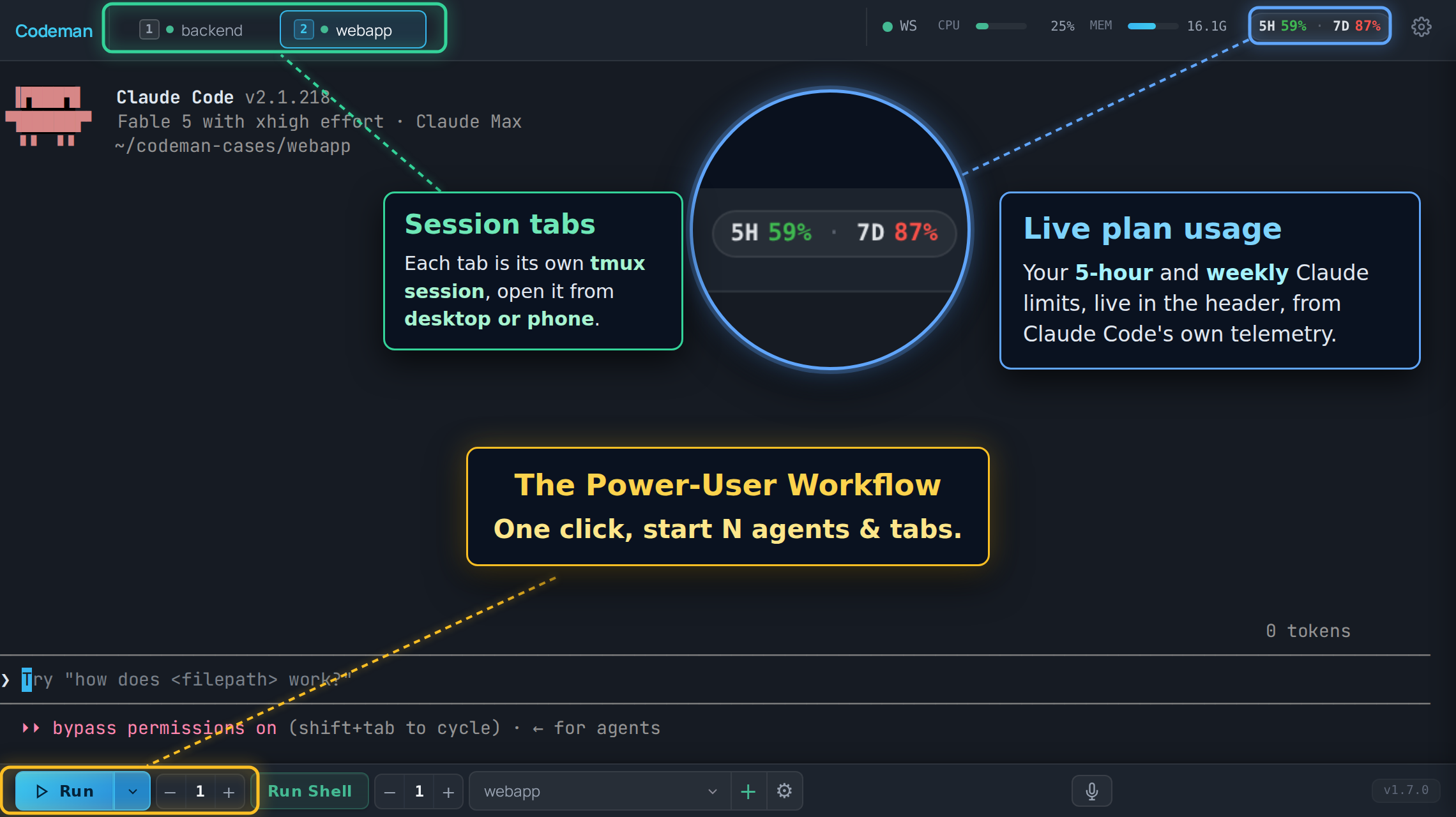
|
||||
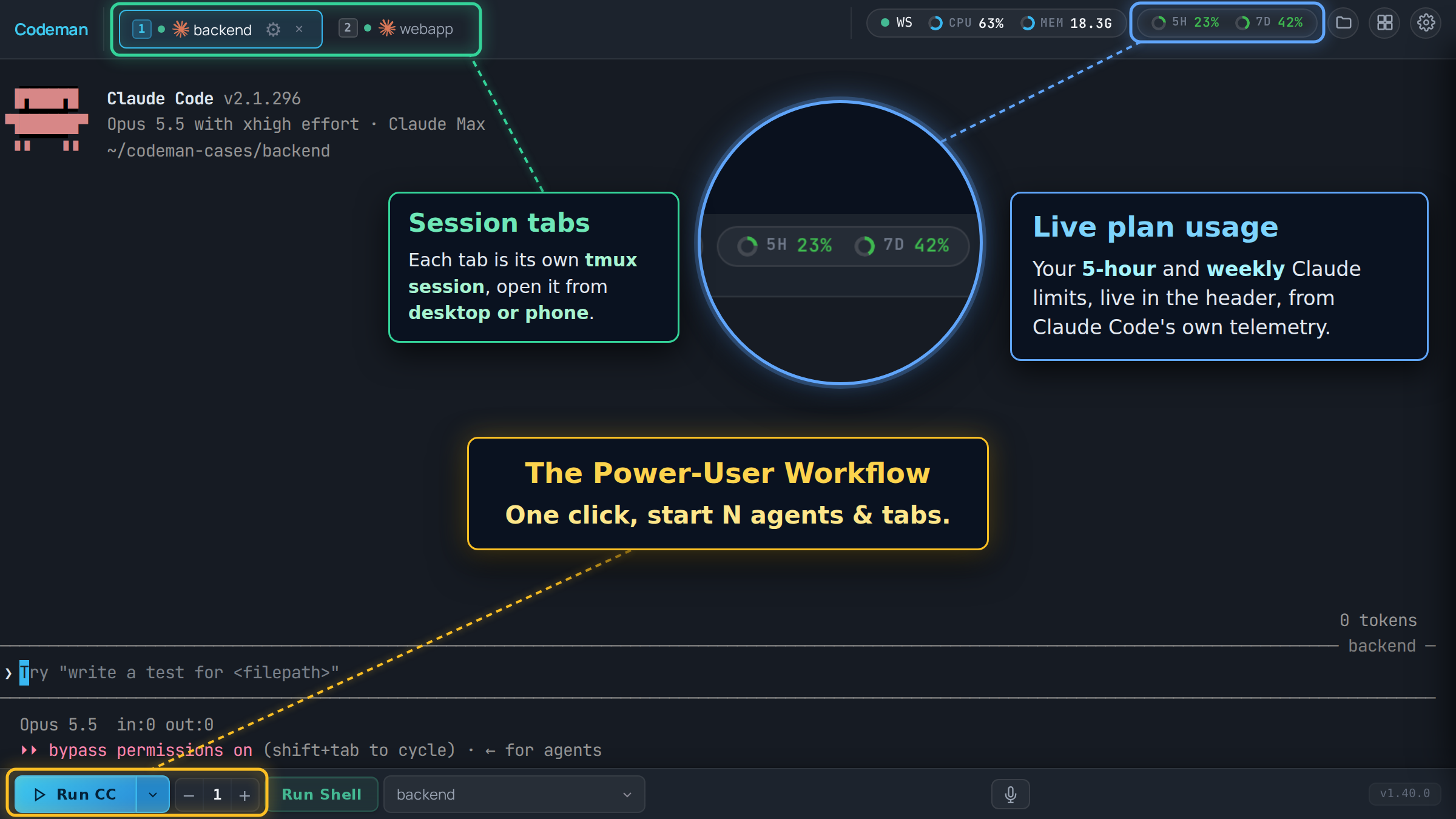
|
||||
|
||||
## Layout
|
||||
|
||||
|
||||
@@ -1,12 +1,12 @@
|
||||
{
|
||||
"name": "aicodeman",
|
||||
"version": "1.40.0",
|
||||
"version": "1.41.0",
|
||||
"lockfileVersion": 3,
|
||||
"requires": true,
|
||||
"packages": {
|
||||
"": {
|
||||
"name": "aicodeman",
|
||||
"version": "1.40.0",
|
||||
"version": "1.41.0",
|
||||
"hasInstallScript": true,
|
||||
"license": "MIT",
|
||||
"workspaces": [
|
||||
|
||||
@@ -1,6 +1,6 @@
|
||||
{
|
||||
"name": "aicodeman",
|
||||
"version": "1.40.0",
|
||||
"version": "1.41.0",
|
||||
"description": "Mission control for AI coding agents - run 20 autonomous agents with real-time monitoring and session persistence",
|
||||
"type": "module",
|
||||
"main": "dist/index.js",
|
||||
|
||||
@@ -1,7 +1,7 @@
|
||||
{
|
||||
"name": "codeman",
|
||||
"description": "Drive Codeman, the self-hosted session manager for AI coding agents, from inside a Claude Code session: spawn worker sessions, prompt them, wait for them, read their answers, clean up. Acts only inside a Codeman-managed session.",
|
||||
"version": "1.40.0",
|
||||
"version": "1.41.0",
|
||||
"author": {
|
||||
"name": "Ark0N",
|
||||
"url": "https://github.com/Ark0N"
|
||||
|
||||
@@ -106,6 +106,7 @@ import {
|
||||
getClaudeBinaryPath,
|
||||
spawnPtyWithHelperRepair,
|
||||
resolveLocalShell,
|
||||
waitForProcessesExit,
|
||||
} from './utils/index.js';
|
||||
import {
|
||||
MAX_TERMINAL_BUFFER_SIZE,
|
||||
@@ -179,7 +180,10 @@ const WIRE_ACTIVITY_SETTLE_MS = 15_000;
|
||||
|
||||
// Note: Auto-compact/clear timing constants moved to session-auto-ops.ts
|
||||
|
||||
/** Graceful shutdown delay when stopping session (100ms) */
|
||||
/**
|
||||
* Longest the PTY process gets to exit on SIGTERM before SIGKILL when stopping a
|
||||
* session. A deadline, not a sleep: stop() moves on as soon as it has exited.
|
||||
*/
|
||||
const GRACEFUL_SHUTDOWN_DELAY_MS = 100;
|
||||
|
||||
// Conversations kept in a pane's chain. A pane that /clears repeatedly would
|
||||
@@ -4801,8 +4805,10 @@ export class Session extends EventEmitter {
|
||||
console.warn('[Session] Failed to send SIGTERM to PTY process (may already be dead):', err);
|
||||
}
|
||||
|
||||
// Give it a moment to terminate gracefully
|
||||
await new Promise((resolve) => setTimeout(resolve, GRACEFUL_SHUTDOWN_DELAY_MS));
|
||||
// Give it a moment to terminate gracefully. For a tmux-backed session this
|
||||
// is the attach client, gone within a few ms of SIGTERM, and this used to be
|
||||
// a fixed 100ms sleep on every close.
|
||||
if (pid) await waitForProcessesExit([pid], { timeoutMs: GRACEFUL_SHUTDOWN_DELAY_MS });
|
||||
|
||||
// Force kill with SIGKILL if still alive
|
||||
try {
|
||||
|
||||
@@ -761,13 +761,35 @@ export class SubagentWatcher extends EventEmitter {
|
||||
* by workingDir alone would kill subagents belonging to OTHER sessions.
|
||||
*/
|
||||
async killSubagentsForSession(workingDir: string, sessionId?: string): Promise<void> {
|
||||
const subagents = this.getSubagentsForSession(workingDir);
|
||||
for (const agent of subagents) {
|
||||
if (agent.status === 'active' || agent.status === 'idle') {
|
||||
// Only kill subagents belonging to this specific session
|
||||
if (sessionId && agent.sessionId !== sessionId) continue;
|
||||
await this.killSubagent(agent.agentId);
|
||||
const targets = this.getSubagentsForSession(workingDir).filter(
|
||||
// Only kill subagents belonging to this specific session
|
||||
(agent) => (agent.status === 'active' || agent.status === 'idle') && (!sessionId || agent.sessionId === sessionId)
|
||||
);
|
||||
if (targets.length === 0) return;
|
||||
|
||||
// ONE process scan for the lot. This used to call killSubagent() per agent, and
|
||||
// each call ran its own `pgrep -f claude` plus a /proc read per match (~85ms on a
|
||||
// box with ~100 matching processes), so closing a session right after a workflow
|
||||
// paid that once per recently active subagent. The match rules are
|
||||
// findSubagentProcess()'s: getClaudePids() skips CODEMAN_MUX=1 processes too.
|
||||
const pidMap = await this.getClaudePids();
|
||||
const signalled = new Set<number>();
|
||||
for (const agent of targets) {
|
||||
// The liveness checker may have completed it while the scan ran.
|
||||
if (agent.status !== 'active' && agent.status !== 'idle') continue;
|
||||
for (const [pid, procInfo] of pidMap) {
|
||||
if (signalled.has(pid)) continue;
|
||||
if (procInfo.environ.includes(agent.sessionId) || procInfo.cmdline.includes(agent.sessionId)) {
|
||||
signalled.add(pid);
|
||||
try {
|
||||
process.kill(pid, 'SIGTERM');
|
||||
} catch {
|
||||
// Process may have already exited
|
||||
}
|
||||
break; // one process per agent, as killSubagent() does
|
||||
}
|
||||
}
|
||||
this.markSubagentAsCompleted(agent);
|
||||
}
|
||||
}
|
||||
|
||||
|
||||
@@ -56,3 +56,5 @@ This session is managed by Codeman and runs inside tmux (`CODEMAN_MUX=1` confirm
|
||||
- NEVER kill your own session: no `tmux kill-session`, `pkill tmux`, or `pkill claude`.
|
||||
- The session persists across disconnects — your work is safe.
|
||||
- Hooks may auto-format or validate after writes; unexpected tool behavior usually means a hook ran. Keep working.
|
||||
- After creating a file, write out its full absolute path in your final reply, e.g. `/home/me/project/docs/report.md`. Codeman makes absolute paths in the terminal clickable and opens them in its file viewer; a relative path (`docs/report.md`), a `~/` path or a markdown link (`[report](...)`) cannot be clicked.
|
||||
- If the `codeman` skill is available, use it to start other Codeman sessions as workers, send them prompts, wait for them to finish, read their output and clean them up. When asked to parallelize work and the skill is missing, tell the user they can install it with `codeman skill install`.
|
||||
|
||||
@@ -94,7 +94,13 @@ import {
|
||||
type DockerMount,
|
||||
type DockerSeedCopy,
|
||||
} from './docker-hosts.js';
|
||||
import { wrapWithNice, SAFE_PATH_PATTERN, resolveLocalShell, loginShellArgs } from './utils/index.js';
|
||||
import {
|
||||
wrapWithNice,
|
||||
SAFE_PATH_PATTERN,
|
||||
resolveLocalShell,
|
||||
loginShellArgs,
|
||||
waitForProcessesExit,
|
||||
} from './utils/index.js';
|
||||
import type {
|
||||
TerminalMultiplexer,
|
||||
MuxSession,
|
||||
@@ -144,12 +150,18 @@ const TMUX_CREATION_WAIT_MS = 100;
|
||||
const GET_PID_MAX_RETRIES = 5;
|
||||
const GET_PID_RETRY_MS = 200;
|
||||
|
||||
/** Delay after tmux kill command (200ms) */
|
||||
/**
|
||||
* How long killSession gives a pane's children to exit on SIGTERM before it
|
||||
* re-scans and SIGKILLs. A deadline, not a sleep (see utils/process-exit-wait.ts).
|
||||
*/
|
||||
const TMUX_KILL_WAIT_MS = 200;
|
||||
|
||||
/** Delay for graceful shutdown (100ms) */
|
||||
/** How long the pane's process group gets to exit on SIGTERM before SIGKILL. Also a deadline. */
|
||||
const GRACEFUL_SHUTDOWN_WAIT_MS = 100;
|
||||
|
||||
/** How long killSession waits for every process it signalled to be gone before it warns. */
|
||||
const KILL_VERIFY_TIMEOUT_MS = 2000;
|
||||
|
||||
/** Default stats collection interval (2 seconds) */
|
||||
const DEFAULT_STATS_INTERVAL_MS = 2000;
|
||||
|
||||
@@ -2350,6 +2362,28 @@ export class TmuxManager extends EventEmitter implements TerminalMultiplexer {
|
||||
}
|
||||
}
|
||||
|
||||
/**
|
||||
* {@link getPanePid} without blocking the event loop, for the kill path: a close
|
||||
* must not stall every other session's I/O while tmux answers.
|
||||
*/
|
||||
private async getPanePidAsync(muxName: string): Promise<number | null> {
|
||||
if (IS_TEST_MODE) return 99999;
|
||||
if (!isValidMuxName(muxName)) {
|
||||
console.error('[TmuxManager] Invalid session name in getPanePidAsync:', muxName);
|
||||
return null;
|
||||
}
|
||||
try {
|
||||
const { stdout } = await execAsync(`${this.tmux()} display-message -t "${muxName}" -p '#{pane_pid}'`, {
|
||||
encoding: 'utf-8',
|
||||
timeout: EXEC_TIMEOUT_MS,
|
||||
});
|
||||
const pid = parseInt(stdout.trim(), 10);
|
||||
return Number.isNaN(pid) ? null : pid;
|
||||
} catch {
|
||||
return null;
|
||||
}
|
||||
}
|
||||
|
||||
/**
|
||||
* Check if a tmux session exists.
|
||||
*/
|
||||
@@ -2604,7 +2638,9 @@ export class TmuxManager extends EventEmitter implements TerminalMultiplexer {
|
||||
});
|
||||
}
|
||||
|
||||
// Check if a process is still alive
|
||||
// Check if a process is still alive. Signal decisions only: an unreaped zombie
|
||||
// counts here, so its process group still gets the SIGKILL below. The WAITS use
|
||||
// waitForProcessesExit(), which counts a zombie as exited.
|
||||
private isProcessAlive(pid: number): boolean {
|
||||
try {
|
||||
process.kill(pid, 0);
|
||||
@@ -2614,20 +2650,9 @@ export class TmuxManager extends EventEmitter implements TerminalMultiplexer {
|
||||
}
|
||||
}
|
||||
|
||||
// Verify all PIDs are dead, with retry
|
||||
// Verify all PIDs are dead, returning as soon as they are
|
||||
private async verifyProcessesDead(pids: number[], maxWaitMs: number = 1000): Promise<boolean> {
|
||||
const startTime = Date.now();
|
||||
const checkInterval = 100;
|
||||
|
||||
while (Date.now() - startTime < maxWaitMs) {
|
||||
const aliveCount = pids.filter((pid) => this.isProcessAlive(pid)).length;
|
||||
if (aliveCount === 0) {
|
||||
return true;
|
||||
}
|
||||
await new Promise((resolve) => setTimeout(resolve, checkInterval));
|
||||
}
|
||||
|
||||
const stillAlive = pids.filter((pid) => this.isProcessAlive(pid));
|
||||
const stillAlive = await waitForProcessesExit(pids, { timeoutMs: maxWaitMs });
|
||||
if (stillAlive.length > 0) {
|
||||
console.warn(`[TmuxManager] ${stillAlive.length} processes still alive after kill: ${stillAlive.join(', ')}`);
|
||||
}
|
||||
@@ -2685,7 +2710,7 @@ export class TmuxManager extends EventEmitter implements TerminalMultiplexer {
|
||||
if (isValidMuxName(session.muxName)) {
|
||||
try {
|
||||
// Local socket only — detaches the remote session by killing the local ssh pane.
|
||||
execSync(`${this.tmux()} kill-session -t "${session.muxName}" 2>/dev/null`, {
|
||||
await execAsync(`${this.tmux()} kill-session -t "${session.muxName}" 2>/dev/null`, {
|
||||
timeout: EXEC_TIMEOUT_MS,
|
||||
});
|
||||
} catch {
|
||||
@@ -2702,7 +2727,7 @@ export class TmuxManager extends EventEmitter implements TerminalMultiplexer {
|
||||
}
|
||||
|
||||
// Get current PID (may have changed)
|
||||
const currentPid = this.getPanePid(session.muxName) || session.pid;
|
||||
const currentPid = (await this.getPanePidAsync(session.muxName)) || session.pid;
|
||||
|
||||
console.log(`[TmuxManager] Killing session ${session.muxName} (PID ${currentPid})`);
|
||||
|
||||
@@ -2724,7 +2749,9 @@ export class TmuxManager extends EventEmitter implements TerminalMultiplexer {
|
||||
}
|
||||
}
|
||||
|
||||
await new Promise((resolve) => setTimeout(resolve, TMUX_KILL_WAIT_MS));
|
||||
// Most children are gone within a few ms; the re-scan below still runs, to
|
||||
// catch anything spawned since the first one.
|
||||
await waitForProcessesExit(childPids, { timeoutMs: TMUX_KILL_WAIT_MS });
|
||||
|
||||
childPids = await this.getChildPidsFresh(currentPid);
|
||||
for (const childPid of childPids) {
|
||||
@@ -2742,7 +2769,7 @@ export class TmuxManager extends EventEmitter implements TerminalMultiplexer {
|
||||
if (this.isProcessAlive(currentPid)) {
|
||||
try {
|
||||
process.kill(-currentPid, 'SIGTERM');
|
||||
await new Promise((resolve) => setTimeout(resolve, GRACEFUL_SHUTDOWN_WAIT_MS));
|
||||
await waitForProcessesExit([currentPid], { timeoutMs: GRACEFUL_SHUTDOWN_WAIT_MS });
|
||||
if (this.isProcessAlive(currentPid)) {
|
||||
process.kill(-currentPid, 'SIGKILL');
|
||||
}
|
||||
@@ -2751,10 +2778,12 @@ export class TmuxManager extends EventEmitter implements TerminalMultiplexer {
|
||||
}
|
||||
}
|
||||
|
||||
// Strategy 3: Kill tmux session by name (guard the name before it reaches the shell)
|
||||
// Strategy 3: Kill tmux session by name (guard the name before it reaches the shell).
|
||||
// Async: tmux takes tens of ms to tear a session down, and execSync held the
|
||||
// whole server for that long on every close.
|
||||
if (isValidMuxName(session.muxName)) {
|
||||
try {
|
||||
execSync(`${this.tmux()} kill-session -t "${session.muxName}" 2>/dev/null`, {
|
||||
await execAsync(`${this.tmux()} kill-session -t "${session.muxName}" 2>/dev/null`, {
|
||||
timeout: EXEC_TIMEOUT_MS,
|
||||
});
|
||||
} catch {
|
||||
@@ -2798,7 +2827,7 @@ export class TmuxManager extends EventEmitter implements TerminalMultiplexer {
|
||||
}
|
||||
|
||||
// Verify all processes are dead
|
||||
const allDead = await this.verifyProcessesDead(allPids, 2000);
|
||||
const allDead = await this.verifyProcessesDead(allPids, KILL_VERIFY_TIMEOUT_MS);
|
||||
if (!allDead) {
|
||||
console.error(`[TmuxManager] Warning: Some processes may still be alive for session ${session.muxName}`);
|
||||
}
|
||||
|
||||
@@ -12,6 +12,7 @@ export { Debouncer, KeyedDebouncer } from './debouncer.js';
|
||||
export { startEventLoopMonitor } from './event-loop-monitor.js';
|
||||
export type { EventLoopMonitorHandle } from './event-loop-monitor.js';
|
||||
export { StaleExpirationMap } from './stale-expiration-map.js';
|
||||
export { isProcessRunning, waitForProcessesExit, PROCESS_EXIT_POLL_MS } from './process-exit-wait.js';
|
||||
export {
|
||||
ANSI_ESCAPE_PATTERN_FULL,
|
||||
ANSI_ESCAPE_PATTERN_SIMPLE,
|
||||
|
||||
@@ -0,0 +1,76 @@
|
||||
/**
|
||||
* @fileoverview Wait for processes to exit, and return as soon as they have.
|
||||
*
|
||||
* The session kill path used to sleep a FIXED interval after each signal (100 ms
|
||||
* for the PTY client, 200 ms for the pane's children, 100 ms for the process
|
||||
* group) and then verified in 100 ms steps. A process that was gone after 3 ms
|
||||
* still cost the whole interval, so closing a tab spent most of its ~0.5 s in
|
||||
* timers. This keeps every deadline the kill path had; it only stops waiting
|
||||
* once there is nothing left to wait for.
|
||||
*
|
||||
* A zombie counts as exited. It holds nothing but its pid until the parent reaps
|
||||
* it, and on the kill path that parent is the tmux server or the service
|
||||
* manager, which is no reason to hold up a close. `kill(pid, 0)` cannot tell a
|
||||
* zombie from a running process, so on Linux the state letter in
|
||||
* `/proc/<pid>/stat` decides; without procfs `kill(pid, 0)` is the answer.
|
||||
*
|
||||
* @module utils/process-exit-wait
|
||||
*/
|
||||
|
||||
import { readFileSync } from 'node:fs';
|
||||
|
||||
/** Poll step while waiting: an exit is noticed within about one frame. */
|
||||
export const PROCESS_EXIT_POLL_MS = 10;
|
||||
|
||||
/**
|
||||
* True while `pid` names a process that has not exited. A pid we may not signal
|
||||
* reads as not running, which is what the kill path's own check always did:
|
||||
* there is nothing it could do about such a process anyway.
|
||||
*/
|
||||
export function isProcessRunning(pid: number): boolean {
|
||||
try {
|
||||
process.kill(pid, 0);
|
||||
} catch {
|
||||
return false;
|
||||
}
|
||||
if (process.platform !== 'linux') return true;
|
||||
let stat: string;
|
||||
try {
|
||||
stat = readFileSync(`/proc/${pid}/stat`, 'utf8');
|
||||
} catch (err) {
|
||||
// Gone between the two reads. Any other failure: trust kill(pid, 0).
|
||||
return (err as NodeJS.ErrnoException).code !== 'ENOENT';
|
||||
}
|
||||
// "<pid> (<comm>) <state> …": comm may hold spaces and parentheses itself,
|
||||
// so the state is the field after the LAST ')'.
|
||||
const close = stat.lastIndexOf(')');
|
||||
const state = close === -1 ? '' : stat.charAt(close + 2);
|
||||
return state !== 'Z' && state !== 'X';
|
||||
}
|
||||
|
||||
export interface WaitForExitOptions {
|
||||
/** Give up after this long; the survivors are returned, never thrown. */
|
||||
timeoutMs: number;
|
||||
/** Poll step, {@link PROCESS_EXIT_POLL_MS} by default. */
|
||||
pollMs?: number;
|
||||
/** Liveness probe, {@link isProcessRunning} by default (injectable for tests). */
|
||||
isRunning?: (pid: number) => boolean;
|
||||
}
|
||||
|
||||
/**
|
||||
* Resolve once every pid in `pids` has exited, or at the deadline with the ones
|
||||
* that have not. Never rejects.
|
||||
*/
|
||||
export async function waitForProcessesExit(pids: readonly number[], options: WaitForExitOptions): Promise<number[]> {
|
||||
const isRunning = options.isRunning ?? isProcessRunning;
|
||||
const pollMs = Math.max(1, options.pollMs ?? PROCESS_EXIT_POLL_MS);
|
||||
const deadline = Date.now() + options.timeoutMs;
|
||||
let running = pids.filter((pid) => isRunning(pid));
|
||||
while (running.length > 0) {
|
||||
const remaining = deadline - Date.now();
|
||||
if (remaining <= 0) break;
|
||||
await new Promise((resolve) => setTimeout(resolve, Math.min(pollMs, remaining)));
|
||||
running = running.filter((pid) => isRunning(pid));
|
||||
}
|
||||
return running;
|
||||
}
|
||||
@@ -2286,6 +2286,8 @@ class CodemanApp {
|
||||
}
|
||||
|
||||
_onSessionCreated(data) {
|
||||
// A session this tab is closing stays closed until the server answers.
|
||||
if (this._closingSessions?.has(data.id)) return;
|
||||
this.sessions.set(data.id, data);
|
||||
// Add new session to end of tab order
|
||||
if (!this.sessionOrder.includes(data.id)) {
|
||||
@@ -2310,6 +2312,9 @@ class CodemanApp {
|
||||
|
||||
_onSessionUpdated(data) {
|
||||
const session = data.session || data;
|
||||
// A session this tab is closing stays closed until the server answers
|
||||
// (closeSession() puts it back if the delete is refused).
|
||||
if (this._closingSessions?.has(session.id)) return;
|
||||
const oldSession = this.sessions.get(session.id);
|
||||
const claudeSessionIdJustSet = session.claudeSessionId && (!oldSession || !oldSession.claudeSessionId);
|
||||
this.sessions.set(session.id, session);
|
||||
@@ -5954,9 +5959,19 @@ class CodemanApp {
|
||||
// Session Tabs
|
||||
// ═══════════════════════════════════════════════════════════════
|
||||
|
||||
renderSessionTabs() {
|
||||
renderSessionTabs({ immediate = false } = {}) {
|
||||
// Don't re-render while user is typing in the inline rename input
|
||||
if (this._inlineRenameActive) return;
|
||||
if (immediate) {
|
||||
// For a change the user just made and is watching for (closing a tab). The
|
||||
// debounce restarts on every session update, so with busy sessions around a
|
||||
// debounced pass can lag well past its 100ms. A pass still pending would only
|
||||
// repeat this one, so it is dropped.
|
||||
clearTimeout(this._debounceTimers.sessionTabs);
|
||||
this._debounceTimers.sessionTabs = null;
|
||||
this._renderSessionTabsImmediate();
|
||||
return;
|
||||
}
|
||||
this._debouncedCall('sessionTabs', this._renderSessionTabsImmediate);
|
||||
}
|
||||
|
||||
@@ -9639,27 +9654,32 @@ class CodemanApp {
|
||||
}
|
||||
|
||||
async closeSession(sessionId, killMux = true) {
|
||||
// ⚠️ Captured BEFORE the await, and the delete is announced to
|
||||
// _onSessionDeleted through _closingSessions. The `session_deleted` SSE
|
||||
// broadcast for THIS delete routinely lands while the request is still in
|
||||
// flight, and that handler nulls activeSessionId and shows the welcome
|
||||
// screen. Re-reading the field after the await therefore made the fallback
|
||||
// below a coin flip: closing the tab you were on either moved you to the
|
||||
// next session or dumped you on the home screen, depending on which path
|
||||
// won the race (both outcomes measured on one build, 2026-08-17).
|
||||
// Already on its way out (a repeated click, the mux panel racing the tab).
|
||||
if (this._closingSessions.has(sessionId)) return;
|
||||
// The tab goes FIRST and the server is asked after. The kill takes the server
|
||||
// a few hundred ms (SIGTERM grace, the process tree, tmux), and a tab that sat
|
||||
// there that long after "Kill" read as a click that did nothing. A refused
|
||||
// delete puts the row back below.
|
||||
//
|
||||
// ⚠️ Everything is read BEFORE the first await, and the delete is announced
|
||||
// to _onSessionDeleted through _closingSessions: the `session_deleted` SSE
|
||||
// broadcast for THIS delete arrives while the request is still in flight, and
|
||||
// that handler must leave the follow-up selection to this method (both
|
||||
// outcomes of that race were measured on one build, 2026-08-17).
|
||||
const session = this.sessions.get(sessionId);
|
||||
const orderIndex = this.sessionOrder.indexOf(sessionId);
|
||||
const wasActive = this.activeSessionId === sessionId;
|
||||
// Tile grid open: the fallback is the NEIGHBOURING TILE, never the first
|
||||
// sessionOrder entry (often not tiled, which would collapse the grid).
|
||||
// Captured here for the same reason as wasActive: the SSE delete can remove
|
||||
// the tile while the request is still in flight.
|
||||
const grid = this._tileGrid;
|
||||
const tileNeighborId = grid?.has(sessionId) ? window.CodemanTileGrid.tileNeighbor(grid.ids, sessionId) : null;
|
||||
this._closingSessions.add(sessionId);
|
||||
let res = null;
|
||||
try {
|
||||
await this._apiDelete(`/api/sessions/${sessionId}?killMux=${killMux}`);
|
||||
this._cleanupSessionData(sessionId);
|
||||
// The last tile leaving closes the grid (no reselect): the pick below runs.
|
||||
if (grid?.has(sessionId)) this.removeTile(sessionId, { refocus: false });
|
||||
// The same teardown the SSE event runs (split pane, tile, detached window,
|
||||
// WebSocket, per-session state), only now instead of when the server is
|
||||
// done. It is idempotent, so the real event finds nothing left to do.
|
||||
this._onSessionDeleted({ id: sessionId });
|
||||
|
||||
if (wasActive && grid?.open) {
|
||||
// `auto`: the app chose this tile because the previous one went away.
|
||||
@@ -9684,18 +9704,50 @@ class CodemanApp {
|
||||
}
|
||||
}
|
||||
|
||||
this.renderSessionTabs();
|
||||
this.renderSessionTabs({ immediate: true });
|
||||
|
||||
res = await this._apiDelete(`/api/sessions/${sessionId}?killMux=${killMux}`);
|
||||
} catch (err) {
|
||||
// `res` stays null: handled below like a delete that got no answer.
|
||||
console.warn('[closeSession] close failed:', err);
|
||||
} finally {
|
||||
this._closingSessions.delete(sessionId);
|
||||
}
|
||||
|
||||
// 404: already gone (closed from another tab or device), which is what was asked.
|
||||
let gone = !!res && (res.ok || res.status === 404);
|
||||
if (!gone) {
|
||||
// Refused, or no answer. Ask rather than guess: a delete can land on the
|
||||
// server and still lose its reply, and its session_deleted event has then
|
||||
// already been spent while the request was in flight.
|
||||
const check = await this._api(`/api/sessions/${sessionId}`);
|
||||
gone = check?.status === 404;
|
||||
}
|
||||
|
||||
if (gone) {
|
||||
// An SSE resync (handleInit) that landed mid-request rebuilds the list from
|
||||
// the server, which still had the session then.
|
||||
if (this.sessions.has(sessionId)) this._onSessionDeleted({ id: sessionId });
|
||||
if (killMux) {
|
||||
this.showToast('Session closed and tmux killed', 'success');
|
||||
} else {
|
||||
this.showToast('Tab hidden, tmux still running', 'info');
|
||||
}
|
||||
} catch (err) {
|
||||
this.showToast('Failed to close session', 'error');
|
||||
} finally {
|
||||
this._closingSessions.delete(sessionId);
|
||||
return;
|
||||
}
|
||||
|
||||
// Still on the server (or the server is unreachable, in which case the resync
|
||||
// on reconnect has the last word): its row comes back where it was.
|
||||
if (session && !this.sessions.has(sessionId)) {
|
||||
this.sessions.set(sessionId, session);
|
||||
if (!this.sessionOrder.includes(sessionId)) {
|
||||
const at = orderIndex === -1 ? this.sessionOrder.length : Math.min(orderIndex, this.sessionOrder.length);
|
||||
this.sessionOrder.splice(at, 0, sessionId);
|
||||
this.saveSessionOrder();
|
||||
}
|
||||
this.renderSessionTabs();
|
||||
}
|
||||
this.showToast('Failed to close session', 'error');
|
||||
}
|
||||
|
||||
// Request confirmation before closing a session
|
||||
|
||||
@@ -110,6 +110,9 @@ const TITLE_FLASH_INTERVAL_MS = 1500; // Title flash rate
|
||||
const BROWSER_NOTIF_RATE_LIMIT_MS = 3000; // Rate limit for browser notifications
|
||||
const MOBILE_RESIZE_RETRY_MS = 30000; // Small-viewport resize re-send while a desktop sizing claim is hot
|
||||
const AUTO_CLOSE_NOTIFICATION_MS = 8000; // Auto-close browser notifications
|
||||
const DEFAULT_TOAST_DURATION_MS = 3000; // How long a corner toast stays by default
|
||||
const MIN_NOTIFICATION_DURATION_MS = 1000; // Shortest configurable toast / browser-notification time
|
||||
const MAX_NOTIFICATION_DURATION_MS = 300000; // Longest configurable toast / browser-notification time
|
||||
const THROTTLE_DELAY_MS = 100; // General UI throttle delay
|
||||
const TERMINAL_CHUNK_SIZE = 32 * 1024; // 32KB chunks for terminal buffer loading
|
||||
const TERMINAL_TAIL_SIZE = 1024 * 1024; // 1MB tail for initial load (more scrollback on tab switch)
|
||||
|
||||
@@ -2723,6 +2723,26 @@
|
||||
<span class="set-unit">min</span>
|
||||
</div>
|
||||
</div>
|
||||
<div class="set-row" data-search="toast display time popup dismiss seconds notification">
|
||||
<div class="set-row-text">
|
||||
<span class="set-row-label">Toast display time</span>
|
||||
<span class="set-row-desc">How long the corner pop-ups stay on screen.</span>
|
||||
</div>
|
||||
<div class="set-row-actions">
|
||||
<input type="number" id="appSettingsNotifToastSecs" class="set-num" value="3" min="1" max="300">
|
||||
<span class="set-unit">sec</span>
|
||||
</div>
|
||||
</div>
|
||||
<div class="set-row" data-search="browser notification auto close dismiss seconds">
|
||||
<div class="set-row-text">
|
||||
<span class="set-row-label">Browser notification display time</span>
|
||||
<span class="set-row-desc">How long a desktop notification stays up before Codeman closes it. Your OS may close it sooner.</span>
|
||||
</div>
|
||||
<div class="set-row-actions">
|
||||
<input type="number" id="appSettingsNotifBrowserSecs" class="set-num" value="8" min="1" max="300">
|
||||
<span class="set-unit">sec</span>
|
||||
</div>
|
||||
</div>
|
||||
</div>
|
||||
</div>
|
||||
|
||||
|
||||
@@ -4,7 +4,7 @@
|
||||
* The NotificationManager class implements five notification layers:
|
||||
* 1. In-app notification drawer (slide-out panel with grouped notifications)
|
||||
* 2. Tab title flash (alternating "⚠️ (N) codeman:<host>" / "codeman:<host>" when tab is hidden; uses this.originalTitle so it tracks any per-host title)
|
||||
* 3. Browser Notification API (desktop push with auto-close after 8s)
|
||||
* 3. Browser Notification API (desktop push; auto-closes after 8s by default, configurable per device in Settings → Notifications)
|
||||
* 4. Web Push via service worker (OS-level notifications when tab is closed)
|
||||
* 5. Audio alerts (Web Audio API beep, user-opt-in)
|
||||
*
|
||||
@@ -93,6 +93,10 @@ class NotificationManager {
|
||||
browserNotifications: !isMobile,
|
||||
audioAlerts: false,
|
||||
stuckThresholdMs: STUCK_THRESHOLD_DEFAULT_MS,
|
||||
// How long a corner toast stays on screen, and how long a browser notification
|
||||
// stays up before Codeman closes it (ms; per-device like the rest of these)
|
||||
toastDurationMs: DEFAULT_TOAST_DURATION_MS,
|
||||
browserAutoCloseMs: AUTO_CLOSE_NOTIFICATION_MS,
|
||||
// Legacy urgency muting (keep for backwards compat)
|
||||
muteCritical: false,
|
||||
muteWarning: false,
|
||||
@@ -167,11 +171,24 @@ class NotificationManager {
|
||||
return {
|
||||
...defaults,
|
||||
...prefs,
|
||||
toastDurationMs: this.clampDuration(prefs.toastDurationMs, defaults.toastDurationMs),
|
||||
browserAutoCloseMs: this.clampDuration(prefs.browserAutoCloseMs, defaults.browserAutoCloseMs),
|
||||
eventTypes: { ...defaults.eventTypes, ...prefs.eventTypes },
|
||||
_version: 5,
|
||||
};
|
||||
}
|
||||
|
||||
/** A display time in ms kept within [1s, 5min]; anything unusable falls back to the default. */
|
||||
clampDuration(value, fallback) {
|
||||
if (typeof value !== 'number' || !Number.isFinite(value)) return fallback;
|
||||
return Math.min(MAX_NOTIFICATION_DURATION_MS, Math.max(MIN_NOTIFICATION_DURATION_MS, Math.round(value)));
|
||||
}
|
||||
|
||||
/** Display time for corner toasts that do not set their own `duration`. */
|
||||
getToastDurationMs() {
|
||||
return this.clampDuration(this.preferences?.toastDurationMs, DEFAULT_TOAST_DURATION_MS);
|
||||
}
|
||||
|
||||
loadPreferences() {
|
||||
try {
|
||||
const storageKey = this.getStorageKey();
|
||||
@@ -403,7 +420,7 @@ class NotificationManager {
|
||||
};
|
||||
|
||||
// Auto-close
|
||||
setTimeout(() => notif.close(), AUTO_CLOSE_NOTIFICATION_MS);
|
||||
setTimeout(() => notif.close(), this.clampDuration(this.preferences.browserAutoCloseMs, AUTO_CLOSE_NOTIFICATION_MS));
|
||||
}
|
||||
|
||||
async requestPermission() {
|
||||
@@ -466,7 +483,7 @@ class NotificationManager {
|
||||
notif.read = true;
|
||||
this.unreadCount = Math.max(0, this.unreadCount - 1);
|
||||
this.updateBadge();
|
||||
}
|
||||
}
|
||||
|
||||
// Switch to session if available
|
||||
if (notif.sessionId && this.app.sessions.has(notif.sessionId)) {
|
||||
|
||||
@@ -5862,7 +5862,8 @@ Object.assign(CodemanApp.prototype, {
|
||||
},
|
||||
|
||||
/**
|
||||
* `duration` defaults to 3000ms for every toast type. A message worth
|
||||
* `duration` defaults to the "Toast display time" preference (3000ms unless changed in
|
||||
* Settings → Notifications) for every toast type. A message worth
|
||||
* reading rather than glancing at (e.g. "Session started on the native
|
||||
* backend — could not apply the custom endpoint: <the actual reason>")
|
||||
* passes an explicit `opts.duration: 0` at its own call site instead of
|
||||
@@ -5874,7 +5875,7 @@ Object.assign(CodemanApp.prototype, {
|
||||
* regardless of duration.
|
||||
*/
|
||||
showToast(message, type = 'info', opts = {}) {
|
||||
const { duration = 3000, action } = opts;
|
||||
const { duration = this.notificationManager?.getToastDurationMs?.() ?? 3000, action } = opts;
|
||||
const toast = document.createElement('div');
|
||||
toast.className = `toast toast-${type}`;
|
||||
|
||||
|
||||
@@ -563,6 +563,12 @@ Object.assign(CodemanApp.prototype, {
|
||||
document.getElementById('appSettingsNotifBrowser').checked = notifPrefs.browserNotifications ?? false;
|
||||
document.getElementById('appSettingsNotifAudio').checked = notifPrefs.audioAlerts ?? false;
|
||||
document.getElementById('appSettingsNotifStuckMins').value = Math.round((notifPrefs.stuckThresholdMs || 600000) / 60000);
|
||||
document.getElementById('appSettingsNotifToastSecs').value = Math.round(
|
||||
(this.notificationManager?.getToastDurationMs?.() ?? DEFAULT_TOAST_DURATION_MS) / 1000
|
||||
);
|
||||
document.getElementById('appSettingsNotifBrowserSecs').value = Math.round(
|
||||
(notifPrefs.browserAutoCloseMs ?? AUTO_CLOSE_NOTIFICATION_MS) / 1000
|
||||
);
|
||||
document.getElementById('appSettingsNotifCritical').checked = !notifPrefs.muteCritical;
|
||||
document.getElementById('appSettingsNotifWarning').checked = !notifPrefs.muteWarning;
|
||||
document.getElementById('appSettingsNotifInfo').checked = !notifPrefs.muteInfo;
|
||||
@@ -2667,6 +2673,8 @@ Object.assign(CodemanApp.prototype, {
|
||||
browserNotifications: document.getElementById('appSettingsNotifBrowser').checked,
|
||||
audioAlerts: document.getElementById('appSettingsNotifAudio').checked,
|
||||
stuckThresholdMs: (parseInt(document.getElementById('appSettingsNotifStuckMins').value) || 10) * 60000,
|
||||
toastDurationMs: (parseInt(document.getElementById('appSettingsNotifToastSecs').value) || 3) * 1000,
|
||||
browserAutoCloseMs: (parseInt(document.getElementById('appSettingsNotifBrowserSecs').value) || 8) * 1000,
|
||||
muteCritical: !document.getElementById('appSettingsNotifCritical').checked,
|
||||
muteWarning: !document.getElementById('appSettingsNotifWarning').checked,
|
||||
muteInfo: !document.getElementById('appSettingsNotifInfo').checked,
|
||||
@@ -2736,7 +2744,7 @@ Object.assign(CodemanApp.prototype, {
|
||||
_version: 5,
|
||||
};
|
||||
if (this.notificationManager) {
|
||||
this.notificationManager.preferences = notifPrefsToSave;
|
||||
this.notificationManager.preferences = this.notificationManager.normalizePreferences(notifPrefsToSave);
|
||||
this.notificationManager.savePreferences();
|
||||
}
|
||||
|
||||
|
||||
@@ -1517,6 +1517,8 @@ export const SettingsUpdateSchema = z
|
||||
browserNotifications: z.boolean().optional(),
|
||||
audioAlerts: z.boolean().optional(),
|
||||
stuckThresholdMs: z.number().optional(),
|
||||
toastDurationMs: z.number().optional(),
|
||||
browserAutoCloseMs: z.number().optional(),
|
||||
muteCritical: z.boolean().optional(),
|
||||
muteWarning: z.boolean().optional(),
|
||||
muteInfo: z.boolean().optional(),
|
||||
|
||||
@@ -1,470 +0,0 @@
|
||||
/**
|
||||
* @fileoverview The Docker Compose deployment's first-run path: what
|
||||
* `docker/Start-Codeman.sh` does on a machine that has never run it.
|
||||
*
|
||||
* 1. Preflight: a missing `docker`, a missing or too-old Compose plugin and an
|
||||
* unreachable daemon each stop the script with the fix named, before any
|
||||
* question is asked or any file is written. The permission case points at
|
||||
* the docker group, never at sudo (a root run cannot do the first-run setup).
|
||||
* 2. Setup: with no `docker/.env`, the script writes one generated FROM
|
||||
* `.env.example`, so every key the example sets is present. That is the
|
||||
* exact check the in-app updater runs (`diffRequiredEnvKeys`), and a
|
||||
* generated file missing a key would block the user's next update. The file
|
||||
* is 0600, the generated password is alphanumeric (Compose's dotenv
|
||||
* interpolates `$` and treats ` #` as a comment), and a data folder that
|
||||
* would collide with a native install's `~/.codeman`, `$HOME` itself or the
|
||||
* image build context is refused.
|
||||
* 3. An existing `docker/.env` is never rewritten: the update path
|
||||
* (Update-Codeman.sh hands off to this script) must stay byte-for-byte.
|
||||
* 4. A `.env` still carrying the example password `changeme` is refused before
|
||||
* anything is built or started.
|
||||
*
|
||||
* Runs the REAL script against a stub `docker` on PATH with stdin not a TTY,
|
||||
* which is also the "no terminal attached, take the defaults" path.
|
||||
*/
|
||||
|
||||
import { describe, it, expect, beforeAll, afterAll } from 'vitest';
|
||||
import { createServer, type Server } from 'node:net';
|
||||
import {
|
||||
readFileSync,
|
||||
mkdtempSync,
|
||||
rmSync,
|
||||
writeFileSync,
|
||||
mkdirSync,
|
||||
statSync,
|
||||
existsSync,
|
||||
symlinkSync,
|
||||
} from 'node:fs';
|
||||
import { execFileSync, spawnSync } from 'node:child_process';
|
||||
import { tmpdir } from 'node:os';
|
||||
import { join } from 'node:path';
|
||||
import { diffRequiredEnvKeys, parseEnvKeys } from '../src/web/self-update.js';
|
||||
|
||||
const ROOT = process.cwd();
|
||||
const startScript = readFileSync(join(ROOT, 'docker/Start-Codeman.sh'), 'utf-8');
|
||||
const updateScript = readFileSync(join(ROOT, 'docker/Update-Codeman.sh'), 'utf-8');
|
||||
const example = readFileSync(join(ROOT, 'docker/.env.example'), 'utf-8');
|
||||
const compose = readFileSync(join(ROOT, 'docker/docker-compose.yaml'), 'utf-8');
|
||||
/** Absolute, so a run whose PATH deliberately lacks most tools can still start bash. */
|
||||
const BASH = execFileSync('bash', ['-c', 'command -v bash'], { encoding: 'utf-8' }).trim();
|
||||
|
||||
/** The values the first run fills in; every other line must be the example's. */
|
||||
const REWRITTEN_KEYS = ['TZ', 'CODEMAN_APPDATA_PATH', 'CODEMAN_CASES_PATH', 'CODEMAN_PORT', 'CODEMAN_PASSWORD'];
|
||||
|
||||
/**
|
||||
* A stub `docker` that logs every invocation and answers the calls the script
|
||||
* makes. `compose ... config --environment` sources the env file (bash reads
|
||||
* single-quoted values the way Compose's dotenv does) and prints the keys the
|
||||
* script reads.
|
||||
*/
|
||||
const STUB = [
|
||||
'#!/usr/bin/env bash',
|
||||
'echo "docker $*" >> "$CMDLOG"',
|
||||
'if [[ "$1" == "info" ]]; then',
|
||||
' if [[ -n "${STUB_INFO_ERR:-}" ]]; then echo "$STUB_INFO_ERR" >&2; exit 1; fi',
|
||||
' echo 27.0.0; exit 0',
|
||||
'fi',
|
||||
'if [[ "$1" == "compose" ]]; then',
|
||||
' if [[ -n "${STUB_NO_COMPOSE:-}" ]]; then echo "docker: unknown command: docker compose" >&2; exit 1; fi',
|
||||
' if [[ "$2" == "version" ]]; then',
|
||||
' if [[ "${3:-}" == "--short" ]]; then echo "${STUB_COMPOSE_VERSION:-2.30.0}"; else echo "Docker Compose version v${STUB_COMPOSE_VERSION:-2.30.0}"; fi',
|
||||
' exit 0',
|
||||
' fi',
|
||||
' prev=""; envfile=""',
|
||||
' for a in "$@"; do',
|
||||
' if [[ "$prev" == "--env-file" ]]; then envfile="$a"; fi',
|
||||
' prev="$a"',
|
||||
' done',
|
||||
' if [[ " $* " == *" config "* && " $* " == *" --environment "* ]]; then',
|
||||
' set -a; source "$envfile"; set +a',
|
||||
' DOCKER_SOCKET="${STUB_DOCKER_SOCKET:-$DOCKER_SOCKET}"',
|
||||
' for k in CODEMAN_APPDATA_PATH CODEMAN_CASES_PATH DOCKER_SOCKET CODEMAN_PORT CODEMAN_USERNAME CODEMAN_PASSWORD; do',
|
||||
' printf "%s=%s\\n" "$k" "${!k}"',
|
||||
' done',
|
||||
' exit 0',
|
||||
' fi',
|
||||
' if [[ " $* " == *" config "* && " $* " == *" --format json "* ]]; then printf \'{\\n "name": "codeman"\\n}\\n\'; exit 0; fi',
|
||||
' if [[ " $* " == *" up "* && -n "${STUB_UP_FAIL:-}" ]]; then echo "network error pulling a layer" >&2; exit 1; fi',
|
||||
' if [[ " $* " == *" ps -q codeman "* ]]; then echo cid123; exit 0; fi',
|
||||
' if [[ " $* " == *" port codeman "* ]]; then echo "0.0.0.0:${@: -1}"; exit 0; fi',
|
||||
' if [[ " $* " == *" logs "* ]]; then echo "FAKE-LOG: server crashed"; exit 0; fi',
|
||||
' exit 0',
|
||||
'fi',
|
||||
'if [[ "$1" == "inspect" ]]; then echo "${STUB_STATE:-running|healthy|0}"; exit 0; fi',
|
||||
'if [[ "$1" == "exec" ]]; then exit 1; fi',
|
||||
'exit 0',
|
||||
].join('\n');
|
||||
|
||||
interface Run {
|
||||
status: number;
|
||||
stdout: string;
|
||||
stderr: string;
|
||||
log: string[];
|
||||
env: string | null;
|
||||
envMode: number | null;
|
||||
home: string;
|
||||
dir: string;
|
||||
}
|
||||
|
||||
/**
|
||||
* Lays out `<dir>/repo/docker/{Start-Codeman.sh,.env.example,docker-compose.yaml}`
|
||||
* plus a stub `docker`, runs the script with a temp HOME and stdin closed (not a
|
||||
* TTY), and returns what happened. `existingEnv` seeds `docker/.env` first.
|
||||
*/
|
||||
function runStart(
|
||||
args: string[],
|
||||
opts: {
|
||||
env?: Record<string, string>;
|
||||
existingEnv?: string;
|
||||
noDocker?: boolean;
|
||||
/** A real Unix socket to use as DOCKER_SOCKET (the start path checks `-S`). */
|
||||
socket?: string;
|
||||
/** Run Update-Codeman.sh (which hands off to Start-Codeman.sh) instead. */
|
||||
update?: boolean;
|
||||
/** CODEMAN_APPDATA_PATH preset, built from the sandbox's own paths. */
|
||||
appdata?: (p: { home: string; repo: string }) => string;
|
||||
} = {}
|
||||
): Run {
|
||||
const dir = mkdtempSync(join(tmpdir(), 'codeman-start-setup-'));
|
||||
try {
|
||||
const home = join(dir, 'home');
|
||||
const dockerDir = join(dir, 'repo', 'docker');
|
||||
mkdirSync(home);
|
||||
mkdirSync(dockerDir, { recursive: true });
|
||||
writeFileSync(join(dockerDir, 'Start-Codeman.sh'), startScript);
|
||||
writeFileSync(join(dockerDir, 'Update-Codeman.sh'), updateScript);
|
||||
writeFileSync(join(dockerDir, '.env.example'), example);
|
||||
writeFileSync(join(dockerDir, 'docker-compose.yaml'), compose);
|
||||
// Hashed by the start path for the updater's fingerprint baseline.
|
||||
writeFileSync(join(dockerDir, 'server.Dockerfile'), readFileSync(join(ROOT, 'docker/server.Dockerfile')));
|
||||
if (opts.existingEnv !== undefined) writeFileSync(join(dockerDir, '.env'), opts.existingEnv);
|
||||
|
||||
const binDir = join(dir, 'bin');
|
||||
mkdirSync(binDir);
|
||||
let path: string;
|
||||
if (opts.noDocker) {
|
||||
// Only what the script runs before its `command -v docker` check, so the
|
||||
// host's own docker (if any) cannot be found.
|
||||
symlinkSync(
|
||||
execFileSync('bash', ['-c', 'command -v dirname'], { encoding: 'utf-8' }).trim(),
|
||||
join(binDir, 'dirname')
|
||||
);
|
||||
path = binDir;
|
||||
} else {
|
||||
const stubPath = join(binDir, 'docker');
|
||||
writeFileSync(stubPath, STUB);
|
||||
execFileSync('bash', ['-c', `chmod +x '${stubPath}'`]);
|
||||
path = `${binDir}:${process.env.PATH}`;
|
||||
}
|
||||
|
||||
const logPath = join(dir, 'cmdlog.txt');
|
||||
writeFileSync(logPath, '');
|
||||
const env: Record<string, string> = { ...process.env, HOME: home, PATH: path, CMDLOG: logPath } as Record<
|
||||
string,
|
||||
string
|
||||
>;
|
||||
// A developer shell exporting any of these would change the defaults under test.
|
||||
for (const k of ['CODEMAN_APPDATA_PATH', 'CODEMAN_PORT', 'CODEMAN_PASSWORD', 'CODEMAN_NONINTERACTIVE'])
|
||||
delete env[k];
|
||||
Object.assign(env, opts.env ?? {});
|
||||
if (opts.appdata) env.CODEMAN_APPDATA_PATH = opts.appdata({ home, repo: join(dir, 'repo') });
|
||||
if (opts.socket) env.STUB_DOCKER_SOCKET = opts.socket;
|
||||
|
||||
const entry = opts.update ? 'Update-Codeman.sh' : 'Start-Codeman.sh';
|
||||
const res = spawnSync(BASH, [join(dockerDir, entry), ...args], {
|
||||
env,
|
||||
encoding: 'utf-8',
|
||||
stdio: ['ignore', 'pipe', 'pipe'],
|
||||
});
|
||||
const envPath = join(dockerDir, '.env');
|
||||
const hasEnv = existsSync(envPath);
|
||||
return {
|
||||
status: res.status ?? 1,
|
||||
stdout: res.stdout,
|
||||
stderr: res.stderr,
|
||||
log: readFileSync(logPath, 'utf-8')
|
||||
.split('\n')
|
||||
.filter((l) => l.trim()),
|
||||
env: hasEnv ? readFileSync(envPath, 'utf-8') : null,
|
||||
envMode: hasEnv ? statSync(envPath).mode & 0o777 : null,
|
||||
home,
|
||||
dir,
|
||||
};
|
||||
} finally {
|
||||
rmSync(dir, { recursive: true, force: true });
|
||||
}
|
||||
}
|
||||
|
||||
/** The single (unquoted or single-quoted) value of KEY in a dotenv text. */
|
||||
function envValue(text: string, key: string): string | undefined {
|
||||
const line = text.split('\n').find((l) => l.startsWith(`${key}=`));
|
||||
if (line === undefined) return undefined;
|
||||
const raw = line.slice(key.length + 1);
|
||||
return raw.startsWith("'") && raw.endsWith("'") ? raw.slice(1, -1) : raw;
|
||||
}
|
||||
|
||||
describe('Start-Codeman.sh first run (no docker/.env yet)', () => {
|
||||
it('parses under bash -n', () => {
|
||||
execFileSync('bash', ['-n', join(ROOT, 'docker/Start-Codeman.sh')]);
|
||||
});
|
||||
|
||||
it('writes docker/.env from .env.example with every key the updater requires, mode 0600', () => {
|
||||
const r = runStart(['--setup-only']);
|
||||
expect(r.status, r.stderr).toBe(0);
|
||||
expect(r.env).not.toBeNull();
|
||||
const env = r.env as string;
|
||||
expect(r.envMode).toBe(0o600);
|
||||
// The in-app updater's own check: no key the example sets may be missing.
|
||||
expect(diffRequiredEnvKeys(example, env)).toEqual([]);
|
||||
expect(parseEnvKeys(env)).toEqual(parseEnvKeys(example));
|
||||
// --setup-only stops before Compose is asked anything about the stack.
|
||||
expect(r.log.some((l) => / (up|build|config)( |$)/.test(l))).toBe(false);
|
||||
});
|
||||
|
||||
it('changes only the five first-run values and keeps every other line of the example', () => {
|
||||
const r = runStart(['--setup-only']);
|
||||
const generated = (r.env as string).split('\n');
|
||||
const exampleLines = example.split('\n');
|
||||
// Header comments first, then the example line for line.
|
||||
const offset = generated.length - exampleLines.length;
|
||||
expect(offset).toBeGreaterThan(0);
|
||||
for (let i = 0; i < exampleLines.length; i++) {
|
||||
const want = exampleLines[i];
|
||||
const got = generated[i + offset];
|
||||
const key = want.match(/^([A-Z_][A-Z0-9_]*)=/)?.[1];
|
||||
if (key && REWRITTEN_KEYS.includes(key)) {
|
||||
expect(got.startsWith(`${key}=`)).toBe(true);
|
||||
} else {
|
||||
expect(got).toBe(want);
|
||||
}
|
||||
}
|
||||
});
|
||||
|
||||
it('defaults: a data folder of its own under HOME, cases inside it, a strong alphanumeric password', () => {
|
||||
const r = runStart(['--setup-only']);
|
||||
const env = r.env as string;
|
||||
const appdata = envValue(env, 'CODEMAN_APPDATA_PATH');
|
||||
expect(appdata).toBe(join(r.home, 'codeman-docker'));
|
||||
expect(envValue(env, 'CODEMAN_CASES_PATH')).toBe(join(r.home, 'codeman-docker', 'codeman-cases'));
|
||||
expect(appdata).not.toContain('.codeman');
|
||||
const password = envValue(env, 'CODEMAN_PASSWORD') as string;
|
||||
expect(password).toMatch(/^[A-Za-z0-9]{24}$/);
|
||||
expect(password).not.toBe('changeme');
|
||||
expect(envValue(env, 'CODEMAN_PORT')).toMatch(/^\d+$/);
|
||||
expect(envValue(env, 'TZ')).toMatch(/^[A-Za-z0-9_+/-]+$/);
|
||||
// A generated password is shown once, since nobody else knows it.
|
||||
expect(r.stdout).toContain(password);
|
||||
expect(r.stdout).toMatch(/No questions asked/);
|
||||
});
|
||||
|
||||
it('takes presets from the environment and quotes values Compose would otherwise interpolate', () => {
|
||||
const r = runStart(['--setup-only'], {
|
||||
env: { CODEMAN_PASSWORD: 'pa$$ #word', CODEMAN_PORT: '4567', CODEMAN_APPDATA_PATH: '/srv/My Data/codeman/' },
|
||||
});
|
||||
expect(r.status, r.stderr).toBe(0);
|
||||
const lines = (r.env as string).split('\n');
|
||||
expect(lines).toContain("CODEMAN_PASSWORD='pa$$ #word'");
|
||||
expect(lines).toContain('CODEMAN_PORT=4567');
|
||||
// Trailing slash dropped, the space kept by quoting.
|
||||
expect(lines).toContain("CODEMAN_APPDATA_PATH='/srv/My Data/codeman'");
|
||||
expect(lines).toContain("CODEMAN_CASES_PATH='/srv/My Data/codeman/codeman-cases'");
|
||||
// A password the user chose is never echoed.
|
||||
expect(r.stdout).not.toContain('pa$$ #word');
|
||||
});
|
||||
|
||||
it.each([
|
||||
['HOME itself', ({ home }: { home: string }) => home, /folder of its own/],
|
||||
['HOME typed as ~', () => '~', /folder of its own/],
|
||||
['a native install state dir', ({ home }: { home: string }) => join(home, '.codeman'), /installed directly/],
|
||||
['inside a native install state dir', () => '~/.codeman/docker', /installed directly/],
|
||||
['a relative path', () => 'codeman-data', /absolute path/],
|
||||
['the checkout, which is the image build context', ({ repo }: { repo: string }) => repo, /copied into the image/],
|
||||
['a folder inside the checkout', ({ repo }: { repo: string }) => join(repo, 'data'), /copied into the image/],
|
||||
])('refuses %s as the data folder and writes nothing', (_name, appdata, reason) => {
|
||||
const r = runStart(['--setup-only'], { appdata });
|
||||
expect(r.status).toBe(1);
|
||||
expect(r.stderr).toMatch(reason);
|
||||
expect(r.env).toBeNull();
|
||||
});
|
||||
|
||||
it.each([
|
||||
['a single quote', "it's-a-password"],
|
||||
['the example placeholder', 'changeme'],
|
||||
['fewer than 8 characters', 'short'],
|
||||
])('refuses a preset password with %s', (_name, password) => {
|
||||
const r = runStart(['--setup-only'], { env: { CODEMAN_PASSWORD: password } });
|
||||
expect(r.status).toBe(1);
|
||||
expect(r.env).toBeNull();
|
||||
});
|
||||
|
||||
it('never rewrites an existing docker/.env', () => {
|
||||
const existing = '# hand-written\nCODEMAN_PASSWORD=mine-and-only-mine\nCODEMAN_APPDATA_PATH=/x\n';
|
||||
const r = runStart(['--setup-only'], { existingEnv: existing });
|
||||
expect(r.status, r.stderr).toBe(0);
|
||||
expect(r.env).toBe(existing);
|
||||
expect(r.stdout).toMatch(/already exists/);
|
||||
});
|
||||
});
|
||||
|
||||
describe('Start-Codeman.sh preflight', () => {
|
||||
it('names the docker group (not sudo) when the account cannot reach the daemon', () => {
|
||||
const r = runStart(['--setup-only'], {
|
||||
env: {
|
||||
STUB_INFO_ERR: 'permission denied while trying to connect to the docker API at unix:///var/run/docker.sock',
|
||||
},
|
||||
});
|
||||
expect(r.status).toBe(1);
|
||||
expect(r.stderr).toMatch(/sudo usermod -aG docker /);
|
||||
expect(r.stderr).toMatch(/log out and back in/);
|
||||
expect(r.env).toBeNull();
|
||||
});
|
||||
|
||||
it('says to start Docker when the daemon is not running, quoting what Docker said', () => {
|
||||
const r = runStart(['--setup-only'], {
|
||||
env: { STUB_INFO_ERR: 'failed to connect to the docker API at unix:///var/run/docker.sock' },
|
||||
});
|
||||
expect(r.status).toBe(1);
|
||||
expect(r.stderr).toMatch(/daemon is not reachable/);
|
||||
expect(r.stderr).toContain('failed to connect to the docker API');
|
||||
expect(r.env).toBeNull();
|
||||
});
|
||||
|
||||
it('refuses a Compose older than 2.27.2, which has no `config --environment`', () => {
|
||||
const r = runStart(['--setup-only'], { env: { STUB_COMPOSE_VERSION: '2.27.0' } });
|
||||
expect(r.status).toBe(1);
|
||||
expect(r.stderr).toMatch(/Compose 2\.27\.0 is too old; Codeman needs 2\.27\.2 or newer/);
|
||||
expect(r.env).toBeNull();
|
||||
});
|
||||
|
||||
it('accepts newer Compose majors (v5 here) and a v-prefixed version', () => {
|
||||
expect(runStart(['--setup-only'], { env: { STUB_COMPOSE_VERSION: '5.5.0' } }).status).toBe(0);
|
||||
expect(runStart(['--setup-only'], { env: { STUB_COMPOSE_VERSION: 'v2.27.2' } }).status).toBe(0);
|
||||
});
|
||||
|
||||
it('explains a missing Compose plugin', () => {
|
||||
const r = runStart(['--setup-only'], { env: { STUB_NO_COMPOSE: '1' } });
|
||||
expect(r.status).toBe(1);
|
||||
expect(r.stderr).toMatch(/Compose v2 plugin is missing/);
|
||||
});
|
||||
|
||||
it('explains a missing docker command', () => {
|
||||
const r = runStart(['--setup-only'], { noDocker: true });
|
||||
expect(r.status).toBe(1);
|
||||
expect(r.stderr).toMatch(/Docker is not installed/);
|
||||
});
|
||||
});
|
||||
|
||||
describe('Start-Codeman.sh on an existing install', () => {
|
||||
it('refuses to start while CODEMAN_PASSWORD is still `changeme`, before building anything', () => {
|
||||
const existing = example; // a straight copy of the example, never edited
|
||||
const r = runStart([], { existingEnv: existing });
|
||||
expect(r.status).toBe(1);
|
||||
expect(r.stderr).toMatch(/still the example value "changeme"/);
|
||||
expect(r.log.some((l) => / (up|build|down)( |$)/.test(l))).toBe(false);
|
||||
expect(r.env).toBe(existing);
|
||||
});
|
||||
|
||||
it('Update-Codeman.sh refuses `changeme` BEFORE its build and `down`, so the stack is never left stopped', () => {
|
||||
// An existing appdata dir, so the check this is about is the one reached.
|
||||
const existing = example.replace(/^CODEMAN_APPDATA_PATH=.*$/m, `CODEMAN_APPDATA_PATH=${tmpdir()}`);
|
||||
const r = runStart([], { existingEnv: existing, update: true });
|
||||
expect(r.status).toBe(1);
|
||||
expect(r.stderr).toMatch(/still the example value "changeme"/);
|
||||
expect(r.stderr).toMatch(/Nothing was stopped/);
|
||||
expect(r.log.some((l) => / (build|down|up)( |$)/.test(l))).toBe(false);
|
||||
});
|
||||
|
||||
it('rejects an unrecognised argument and prints usage for --help', () => {
|
||||
expect(runStart(['--bogus']).status).toBe(1);
|
||||
const help = runStart(['--help']);
|
||||
expect(help.status).toBe(0);
|
||||
expect(help.stdout).toMatch(/--setup-only/);
|
||||
});
|
||||
});
|
||||
|
||||
/**
|
||||
* The whole start path against the stub: no `docker/.env`, so setup, then
|
||||
* `up`, the readiness wait and the summary. Needs a real Unix socket for the
|
||||
* `DOCKER_SOCKET` check, which Windows cannot provide reliably (see the note in
|
||||
* docker-entrypoint.test.ts), so it runs on Linux and macOS only.
|
||||
*/
|
||||
describe.skipIf(process.platform === 'win32')('Start-Codeman.sh first run, start to summary', () => {
|
||||
let sockDir = '';
|
||||
let sockPath = '';
|
||||
let server: Server | null = null;
|
||||
|
||||
beforeAll(async () => {
|
||||
sockDir = mkdtempSync(join(tmpdir(), 'codeman-start-sock-'));
|
||||
sockPath = join(sockDir, 'docker.sock');
|
||||
server = createServer();
|
||||
await new Promise<void>((resolve) => server!.listen(sockPath, resolve));
|
||||
});
|
||||
|
||||
afterAll(async () => {
|
||||
await new Promise<void>((resolve) => (server ? server.close(() => resolve()) : resolve()));
|
||||
rmSync(sockDir, { recursive: true, force: true });
|
||||
});
|
||||
|
||||
it('ends on the URL, the generated password and the log/stop commands once the container is healthy', () => {
|
||||
const r = runStart([], { socket: sockPath, env: { CODEMAN_PORT: '4321' } });
|
||||
expect(r.status, r.stderr).toBe(0);
|
||||
const password = envValue(r.env as string, 'CODEMAN_PASSWORD') as string;
|
||||
expect(r.stdout).toMatch(/Waiting for Codeman to answer\.\.\. ready\./);
|
||||
expect(r.stdout).toContain('http://localhost:4321');
|
||||
// Printed again at the end, since the build output has scrolled the first one away.
|
||||
expect(r.stdout.split(password).length - 1).toBe(2);
|
||||
expect(r.stdout).toMatch(/Logs +cd .* && docker compose logs -f codeman/);
|
||||
expect(r.stdout).toMatch(/Stop +cd .* && docker compose down/);
|
||||
const up = r.log.findIndex((l) => / up --build -d/.test(l));
|
||||
expect(up).toBeGreaterThan(-1);
|
||||
expect(r.log.findIndex((l) => l.startsWith('docker inspect'))).toBeGreaterThan(up);
|
||||
});
|
||||
|
||||
it('reports a container that keeps restarting, with its last log lines, and exits 1', () => {
|
||||
const r = runStart([], { socket: sockPath, env: { STUB_STATE: 'restarting||1' } });
|
||||
expect(r.status).toBe(1);
|
||||
expect(r.stderr).toMatch(/did not come up \(container restarting\)/);
|
||||
expect(r.stderr).toContain('FAKE-LOG: server crashed');
|
||||
expect(r.stdout).not.toMatch(/http:\/\/localhost/);
|
||||
});
|
||||
|
||||
it('names the next step when `docker compose up` fails', () => {
|
||||
const r = runStart([], { socket: sockPath, env: { STUB_UP_FAIL: '1' } });
|
||||
expect(r.status).toBe(1);
|
||||
expect(r.stderr).toMatch(/`docker compose up --build` failed/);
|
||||
expect(r.stderr).toMatch(/rerunning this script resumes/);
|
||||
});
|
||||
|
||||
it('--no-wait prints the summary without waiting on the container', () => {
|
||||
const r = runStart(['--no-wait'], { socket: sockPath, env: { STUB_STATE: 'running|starting|0' } });
|
||||
expect(r.status, r.stderr).toBe(0);
|
||||
expect(r.stdout).toMatch(/--no-wait given/);
|
||||
expect(r.log.some((l) => l.startsWith('docker inspect'))).toBe(false);
|
||||
});
|
||||
});
|
||||
|
||||
describe('version_older_than', () => {
|
||||
const cases: Array<[string, string, boolean]> = [
|
||||
['2.27.0', '2.27.2', true],
|
||||
['2.27.1', '2.27.2', true],
|
||||
['2.27.2', '2.27.2', false],
|
||||
['2.28.0', '2.27.2', false],
|
||||
['2.9.0', '2.27.2', true],
|
||||
['5.5.0', '2.27.2', false],
|
||||
['1.29.2', '2.27.2', true],
|
||||
['', '2.27.2', false],
|
||||
['dev', '2.27.2', false],
|
||||
['2.27.2-desktop.1', '2.27.2', false],
|
||||
];
|
||||
it.each(cases)('%s older than %s: %s', (have, need, older) => {
|
||||
const script = [
|
||||
'set -euo pipefail',
|
||||
`eval "$(sed -n '/^version_older_than() {/,/^}/p' "$1")"`,
|
||||
'if version_older_than "$2" "$3"; then echo yes; else echo no; fi',
|
||||
].join('\n');
|
||||
const out = execFileSync('bash', ['-c', script, '_', join(ROOT, 'docker/Start-Codeman.sh'), have, need], {
|
||||
encoding: 'utf-8',
|
||||
}).trim();
|
||||
expect(out).toBe(older ? 'yes' : 'no');
|
||||
});
|
||||
});
|
||||
@@ -23,6 +23,10 @@ type Manager = {
|
||||
getStorageKey: () => string;
|
||||
normalizePreferences: (preferences: Record<string, unknown>) => NotificationPreferences;
|
||||
notify: (notification: Record<string, unknown>) => void;
|
||||
getToastDurationMs: () => number;
|
||||
unreadCount: number;
|
||||
markAllRead: () => void;
|
||||
clearAll: () => void;
|
||||
};
|
||||
|
||||
const openWindows: JSDOM[] = [];
|
||||
@@ -48,6 +52,10 @@ function loadManager(
|
||||
STUCK_THRESHOLD_DEFAULT_MS: number;
|
||||
GROUPING_TIMEOUT_MS: number;
|
||||
NOTIFICATION_LIST_CAP: number;
|
||||
AUTO_CLOSE_NOTIFICATION_MS: number;
|
||||
DEFAULT_TOAST_DURATION_MS: number;
|
||||
MIN_NOTIFICATION_DURATION_MS: number;
|
||||
MAX_NOTIFICATION_DURATION_MS: number;
|
||||
};
|
||||
win.MobileDetection = {
|
||||
getDeviceType: () => device.deviceType ?? 'desktop',
|
||||
@@ -56,6 +64,10 @@ function loadManager(
|
||||
win.STUCK_THRESHOLD_DEFAULT_MS = 600_000;
|
||||
win.GROUPING_TIMEOUT_MS = 5_000;
|
||||
win.NOTIFICATION_LIST_CAP = 100;
|
||||
win.AUTO_CLOSE_NOTIFICATION_MS = 8_000;
|
||||
win.DEFAULT_TOAST_DURATION_MS = 3_000;
|
||||
win.MIN_NOTIFICATION_DURATION_MS = 1_000;
|
||||
win.MAX_NOTIFICATION_DURATION_MS = 300_000;
|
||||
win.requestAnimationFrame = ((callback: FrameRequestCallback) => {
|
||||
callback(0);
|
||||
return 1;
|
||||
@@ -66,6 +78,7 @@ function loadManager(
|
||||
}
|
||||
|
||||
win.eval(`
|
||||
window.escapeHtml = (value) => String(value).replace(/[&<>"']/g, (c) => '&#' + c.charCodeAt(0) + ';');
|
||||
${SOURCE}
|
||||
window.__testNotificationManager = NotificationManager;
|
||||
`);
|
||||
@@ -148,3 +161,23 @@ describe('notification noise defaults', () => {
|
||||
expect(manager.getStorageKey()).toBe('codeman-notification-prefs-mobile');
|
||||
});
|
||||
});
|
||||
|
||||
describe('notification display time', () => {
|
||||
it('defaults to 3s toasts and 8s browser notifications', () => {
|
||||
const { manager } = loadManager();
|
||||
expect(manager.getToastDurationMs()).toBe(3000);
|
||||
expect((manager.preferences as unknown as Record<string, number>).browserAutoCloseMs).toBe(8000);
|
||||
});
|
||||
|
||||
it('honours a configured toast time and clamps unusable values', () => {
|
||||
const { manager } = loadManager({ toastDurationMs: 15_000 });
|
||||
expect(manager.getToastDurationMs()).toBe(15_000);
|
||||
|
||||
const clamp = (value: unknown) =>
|
||||
(manager.normalizePreferences({ toastDurationMs: value }) as unknown as Record<string, number>).toastDurationMs;
|
||||
expect(clamp(10)).toBe(1000);
|
||||
expect(clamp(9_999_999)).toBe(300_000);
|
||||
expect(clamp('soon')).toBe(3000);
|
||||
expect(clamp(undefined)).toBe(3000);
|
||||
});
|
||||
});
|
||||
|
||||
@@ -0,0 +1,81 @@
|
||||
/**
|
||||
* @fileoverview The kill path's waits end when the processes do, not on a timer.
|
||||
*
|
||||
* Closing a session used to sleep a fixed 100 + 200 + 100 ms across its signals
|
||||
* and then verify in 100 ms steps, so a session whose processes were gone in a
|
||||
* few ms still took ~0.45 s to close. `waitForProcessesExit()` keeps each of
|
||||
* those deadlines but returns as soon as nothing is left running, and
|
||||
* `isProcessRunning()` counts a zombie as exited (it holds nothing but its pid
|
||||
* until its reaper gets to it, and `kill(pid, 0)` cannot tell it apart).
|
||||
*
|
||||
* Port: N/A.
|
||||
*/
|
||||
import { spawn } from 'node:child_process';
|
||||
import { readFileSync } from 'node:fs';
|
||||
import { describe, expect, it } from 'vitest';
|
||||
|
||||
import { isProcessRunning, waitForProcessesExit } from '../src/utils/process-exit-wait.js';
|
||||
|
||||
describe('waitForProcessesExit', () => {
|
||||
it('returns as soon as every pid has exited, long before the deadline', async () => {
|
||||
let polls = 0;
|
||||
const isRunning = (): boolean => ++polls < 4;
|
||||
const started = Date.now();
|
||||
|
||||
const survivors = await waitForProcessesExit([101, 102], { timeoutMs: 5000, pollMs: 5, isRunning });
|
||||
|
||||
expect(survivors).toEqual([]);
|
||||
expect(Date.now() - started).toBeLessThan(1000);
|
||||
});
|
||||
|
||||
it('returns the survivors at the deadline instead of throwing', async () => {
|
||||
const started = Date.now();
|
||||
|
||||
const survivors = await waitForProcessesExit([7, 8], {
|
||||
timeoutMs: 60,
|
||||
pollMs: 10,
|
||||
isRunning: (pid) => pid === 8,
|
||||
});
|
||||
|
||||
expect(survivors).toEqual([8]);
|
||||
expect(Date.now() - started).toBeGreaterThanOrEqual(50);
|
||||
});
|
||||
|
||||
it('does not wait at all when nothing is running', async () => {
|
||||
const started = Date.now();
|
||||
expect(await waitForProcessesExit([], { timeoutMs: 5000 })).toEqual([]);
|
||||
expect(await waitForProcessesExit([9], { timeoutMs: 5000, isRunning: () => false })).toEqual([]);
|
||||
expect(Date.now() - started).toBeLessThan(100);
|
||||
});
|
||||
});
|
||||
|
||||
describe('isProcessRunning', () => {
|
||||
it('is true for a live process and false for a pid that does not exist', () => {
|
||||
expect(isProcessRunning(process.pid)).toBe(true);
|
||||
// Above the default pid_max on Linux and macOS alike.
|
||||
expect(isProcessRunning(4_194_304 + 12_345)).toBe(false);
|
||||
});
|
||||
|
||||
it.skipIf(process.platform !== 'linux')('counts a zombie as exited, which kill(pid, 0) cannot', async () => {
|
||||
// `sleep 0` exits at once, and its parent then becomes `sleep 5`, which never
|
||||
// reaps anything: the child stays a zombie until the parent itself goes.
|
||||
const parent = spawn('sh', ['-c', 'sleep 0 & echo $!; exec sleep 5'], { stdio: ['ignore', 'pipe', 'ignore'] });
|
||||
try {
|
||||
const zombie = await new Promise<number>((resolve, reject) => {
|
||||
parent.stdout.once('data', (chunk: Buffer) => resolve(parseInt(chunk.toString(), 10)));
|
||||
parent.once('error', reject);
|
||||
});
|
||||
const state = (): string => {
|
||||
const stat = readFileSync(`/proc/${zombie}/stat`, 'utf8');
|
||||
return stat.charAt(stat.lastIndexOf(')') + 2);
|
||||
};
|
||||
for (let i = 0; i < 100 && state() !== 'Z'; i++) await new Promise((r) => setTimeout(r, 10));
|
||||
expect(state()).toBe('Z');
|
||||
|
||||
expect(() => process.kill(zombie, 0)).not.toThrow();
|
||||
expect(isProcessRunning(zombie)).toBe(false);
|
||||
} finally {
|
||||
parent.kill('SIGKILL');
|
||||
}
|
||||
});
|
||||
});
|
||||
@@ -16,6 +16,11 @@
|
||||
* leaves the active-session handoff alone for a close this tab started. A delete
|
||||
* from anywhere else still lands on the welcome screen.
|
||||
*
|
||||
* The close is also OPTIMISTIC: the tab goes and the next one is selected before
|
||||
* the DELETE is even sent (the server's kill takes a few hundred ms, and a tab
|
||||
* sitting there that long read as a dead button). A refused delete puts the row
|
||||
* back where it was; one whose reply was lost is checked with a GET first.
|
||||
*
|
||||
* Loaded via `vm` with a stubbed context (no jsdom), like input-send-order.test.ts.
|
||||
* Port: N/A.
|
||||
*/
|
||||
@@ -74,7 +79,11 @@ function makeApp(active: string | null, order = [A, B]): TestApp {
|
||||
app.isSoloWindow = false;
|
||||
app._wsSessionId = null;
|
||||
app.terminal = { clear: vi.fn() };
|
||||
app._apiDelete = vi.fn(async () => ({ success: true }));
|
||||
// Shaped like the Response the real helper resolves with (or null: no answer).
|
||||
app._apiDelete = vi.fn(async () => ({ ok: true, status: 200 }));
|
||||
// The failure path's "is it still there?" check: yes, by default.
|
||||
app._api = vi.fn(async () => ({ ok: true, status: 200 }));
|
||||
app.saveSessionOrder = vi.fn();
|
||||
// The real one touches ~20 maps; the parts this behavior depends on are the
|
||||
// session map and the tab order, so those are pruned for real.
|
||||
app._cleanupSessionData = vi.fn((id: string) => {
|
||||
@@ -101,7 +110,7 @@ describe('closing the active session', () => {
|
||||
// delete lands before the request resolves.
|
||||
app._apiDelete = vi.fn(async () => {
|
||||
app._onSessionDeleted({ id: A });
|
||||
return { success: true };
|
||||
return { ok: true, status: 200 };
|
||||
});
|
||||
|
||||
await app.closeSession(A);
|
||||
@@ -174,3 +183,84 @@ describe('closing the active session', () => {
|
||||
expect(app.showToast).toHaveBeenCalledWith('Failed to close session', 'error');
|
||||
});
|
||||
});
|
||||
|
||||
describe('closing is optimistic', () => {
|
||||
it('drops the tab and selects the next one BEFORE the server answers', async () => {
|
||||
const app = makeApp(A);
|
||||
let answer: (value: unknown) => void = () => {};
|
||||
app._apiDelete = vi.fn(() => new Promise((r) => (answer = r)));
|
||||
|
||||
const closing = app.closeSession(A);
|
||||
|
||||
expect(app.sessions.has(A)).toBe(false);
|
||||
expect(app.selectSession).toHaveBeenCalledWith(B, { auto: true });
|
||||
// Rendered now, not on the debounce that every session update restarts.
|
||||
expect(app.renderSessionTabs).toHaveBeenCalledWith({ immediate: true });
|
||||
expect(app.showToast).not.toHaveBeenCalled();
|
||||
|
||||
answer({ ok: true, status: 200 });
|
||||
await closing;
|
||||
expect(app.showToast).toHaveBeenCalledWith('Session closed and tmux killed', 'success');
|
||||
});
|
||||
|
||||
it('a refused delete puts the row back where it was, and says so', async () => {
|
||||
const app = makeApp(B, [A, B]);
|
||||
app._apiDelete = vi.fn(async () => ({ ok: false, status: 500 }));
|
||||
|
||||
await app.closeSession(A);
|
||||
|
||||
expect(app._api).toHaveBeenCalledWith(`/api/sessions/${A}`);
|
||||
expect(app.sessions.has(A)).toBe(true);
|
||||
expect(app.sessionOrder).toEqual([A, B]);
|
||||
expect(app.showToast).toHaveBeenCalledWith('Failed to close session', 'error');
|
||||
});
|
||||
|
||||
it('a delete that landed but lost its reply counts as closed', async () => {
|
||||
const app = makeApp(A);
|
||||
app._apiDelete = vi.fn(async () => null);
|
||||
app._api = vi.fn(async () => ({ ok: false, status: 404 }));
|
||||
|
||||
await app.closeSession(A);
|
||||
|
||||
expect(app.sessions.has(A)).toBe(false);
|
||||
expect(app.showToast).toHaveBeenCalledWith('Session closed and tmux killed', 'success');
|
||||
});
|
||||
|
||||
it('a 404 from the delete is a close that already happened', async () => {
|
||||
const app = makeApp(A);
|
||||
app._apiDelete = vi.fn(async () => ({ ok: false, status: 404 }));
|
||||
|
||||
await app.closeSession(A);
|
||||
|
||||
expect(app._api).not.toHaveBeenCalled();
|
||||
expect(app.sessions.has(A)).toBe(false);
|
||||
expect(app.showToast).toHaveBeenCalledWith('Session closed and tmux killed', 'success');
|
||||
});
|
||||
|
||||
it('a session update arriving mid-close does not bring the tab back', async () => {
|
||||
const app = makeApp(A);
|
||||
app.updateCost = vi.fn();
|
||||
app.updateSubagentParentNames = vi.fn();
|
||||
app._apiDelete = vi.fn(async () => {
|
||||
(app as unknown as { _onSessionUpdated: (d: unknown) => void })._onSessionUpdated({ id: A, status: 'idle' });
|
||||
return { ok: true, status: 200 };
|
||||
});
|
||||
|
||||
await app.closeSession(A);
|
||||
|
||||
expect(app.sessions.has(A)).toBe(false);
|
||||
});
|
||||
|
||||
it('a second close of the same tab while the first is in flight is a no-op', async () => {
|
||||
const app = makeApp(A);
|
||||
let answer: (value: unknown) => void = () => {};
|
||||
app._apiDelete = vi.fn(() => new Promise((r) => (answer = r)));
|
||||
|
||||
const first = app.closeSession(A);
|
||||
await app.closeSession(A);
|
||||
answer({ ok: true, status: 200 });
|
||||
await first;
|
||||
|
||||
expect(app._apiDelete).toHaveBeenCalledTimes(1);
|
||||
});
|
||||
});
|
||||
|
||||
@@ -68,6 +68,7 @@ import * as fs from 'fs';
|
||||
import * as fsPromises from 'node:fs/promises';
|
||||
import { createInterface } from 'readline';
|
||||
import { execSync } from 'child_process';
|
||||
import { execFile as nodeExecFile } from 'node:child_process';
|
||||
|
||||
/**
|
||||
* Flush the microtask queue to allow async scanForSubagents() to complete.
|
||||
@@ -1628,6 +1629,66 @@ describe('SubagentWatcher', () => {
|
||||
expect(result).toBe(true);
|
||||
expect(completedHandler).toHaveBeenCalled();
|
||||
});
|
||||
|
||||
it("killSubagentsForSession scans the process table ONCE for all of a session's agents", async () => {
|
||||
// Closing a session ran a full `pgrep -f claude` + /proc read per recently
|
||||
// active subagent (~85ms each on a busy box); one scan now serves them all.
|
||||
// One readline per transcript: discovery reads each agent's file in turn.
|
||||
const rls: ReturnType<typeof createMockRl>[] = [];
|
||||
mockCreateInterface.mockImplementation(() => {
|
||||
const rl = createMockRl();
|
||||
rls.push(rl);
|
||||
return rl;
|
||||
});
|
||||
mockCreateReadStream.mockReturnValue({ destroy: vi.fn() });
|
||||
mockExistsSync.mockReturnValue(true);
|
||||
mockReaddirSync.mockImplementation((path: string) => {
|
||||
if (path.includes('subagents')) return ['agent-k1.jsonl', 'agent-k2.jsonl', 'agent-k3.jsonl'];
|
||||
if (path.includes('session1')) return ['subagents'];
|
||||
if (path.includes('-home-user-project')) return ['session1'];
|
||||
return ['-home-user-project'];
|
||||
});
|
||||
mockStatSync.mockReturnValue({ isDirectory: () => true, birthtime: new Date(), mtime: new Date(), size: 100 });
|
||||
mockReadFileSync.mockReturnValue(createUserEntry('Test subagent task'));
|
||||
|
||||
watcher.start();
|
||||
for (let i = 0; i < 3; i++) {
|
||||
await flushAsyncScan();
|
||||
rls.forEach((rl) => rl.emit('close'));
|
||||
await vi.advanceTimersByTimeAsync(100);
|
||||
}
|
||||
const agents = watcher.getSubagentsForSession('/home/user/project');
|
||||
expect(agents.map((a) => a.agentId).sort()).toEqual(['k1', 'k2', 'k3']);
|
||||
|
||||
const execFileMock = vi.mocked(nodeExecFile) as unknown as Mock;
|
||||
const originalExecFile = execFileMock.getMockImplementation();
|
||||
let pgrepCalls = 0;
|
||||
execFileMock.mockImplementation(
|
||||
(cmd: string, _args: string[], _opts: unknown, cb: (err: Error | null, stdout: string) => void) => {
|
||||
if (cmd === 'pgrep') pgrepCalls++;
|
||||
cb(null, '4242\n4343\n');
|
||||
}
|
||||
);
|
||||
mockReadFile.mockImplementation(async (path: string) => {
|
||||
if (path === '/proc/4242/environ') return 'HOME=/x\0PARENT=session1\0';
|
||||
if (path.startsWith('/proc/')) return 'HOME=/x\0';
|
||||
return mockReadFileSync(path);
|
||||
});
|
||||
const killSpy = vi.spyOn(process, 'kill').mockImplementation(() => true);
|
||||
let killCalls: unknown[][] = [];
|
||||
try {
|
||||
await watcher.killSubagentsForSession('/home/user/project', 'session1');
|
||||
killCalls = [...killSpy.mock.calls];
|
||||
} finally {
|
||||
killSpy.mockRestore();
|
||||
execFileMock.mockImplementation(originalExecFile as never);
|
||||
}
|
||||
|
||||
expect(pgrepCalls).toBe(1);
|
||||
expect(agents.every((a) => a.status === 'completed')).toBe(true);
|
||||
// Only the matching process, and only once.
|
||||
expect(killCalls).toEqual([[4242, 'SIGTERM']]);
|
||||
});
|
||||
});
|
||||
|
||||
describe('Error Handling', () => {
|
||||
|
||||
@@ -61,6 +61,20 @@ describe('generateClaudeMd', () => {
|
||||
expect(result).toContain('CODEMAN_MUX=1');
|
||||
});
|
||||
|
||||
it('should tell the agent to print absolute paths of files it creates', () => {
|
||||
const result = generateClaudeMd('my-project');
|
||||
|
||||
expect(result).toContain('full absolute path');
|
||||
expect(result).toContain('clickable');
|
||||
});
|
||||
|
||||
it('should point the agent at the codeman skill', () => {
|
||||
const result = generateClaudeMd('my-project');
|
||||
|
||||
expect(result).toContain('`codeman` skill');
|
||||
expect(result).toContain('codeman skill install');
|
||||
});
|
||||
|
||||
it('should include workflow rules', () => {
|
||||
const result = generateClaudeMd('my-project');
|
||||
|
||||
|
||||
@@ -7,9 +7,9 @@
|
||||
* pick that, with the grid open, would be refused (auto never collapses the
|
||||
* grid) and leave nothing focused. So the fallback is grid-aware, and it lives
|
||||
* IN closeSession: the delete broadcast routinely lands while the request is in
|
||||
* flight, and the delete handlers skip ids in `_closingSessions`. The neighbour
|
||||
* is captured BEFORE the await, like `wasActive`, because that broadcast may
|
||||
* already have removed the tile.
|
||||
* flight, and the delete handlers skip ids in `_closingSessions`. The close is
|
||||
* optimistic, so the tile goes and the neighbour takes focus before the request
|
||||
* is even sent; the broadcast then finds nothing left to do.
|
||||
*
|
||||
* - closing the focused tile: next tile in grid order, else the previous one;
|
||||
* `s-other` is FIRST in sessionOrder and never tiled, so the old pick would
|
||||
@@ -33,7 +33,8 @@ function setup(ids = IDS, focus = ids[0]) {
|
||||
app.selectSession = vi.fn();
|
||||
app.markIdleAlertSeen.mockClear();
|
||||
let finish: () => void = () => {};
|
||||
app._apiDelete = vi.fn(() => new Promise<void>((r) => (finish = r)));
|
||||
// Resolves like the real helper's Response once `finish()` is called.
|
||||
app._apiDelete = vi.fn(() => new Promise((r) => (finish = () => r({ ok: true, status: 200 }))));
|
||||
// The real cleanup touches a lot of panels; what the fallback reads is the session list.
|
||||
app._cleanupSessionData = vi.fn((id: string) => {
|
||||
app.sessions.delete(id);
|
||||
@@ -77,11 +78,12 @@ describe('closeSession on the focused tile', () => {
|
||||
const { app, finish } = setup(IDS, 's-b');
|
||||
const closing = app.closeSession('s-b');
|
||||
await settle();
|
||||
// The close already moved focus to the neighbour before the request went
|
||||
// out; the broadcast for it must not move it again.
|
||||
expect(app.activeSessionId).toBe('s-c');
|
||||
app._onSessionDeleted({ id: 's-b' });
|
||||
// Only the tile went; closeSession owns the follow-up (as the split's
|
||||
// wrapper does for ids in _closingSessions), so focus has not moved yet.
|
||||
expect(app._tileGrid.ids).toEqual(['s-a', 's-c']);
|
||||
expect(app.activeSessionId).toBe('s-b');
|
||||
expect(app.activeSessionId).toBe('s-c');
|
||||
expect(app.showWelcome).not.toHaveBeenCalled();
|
||||
finish();
|
||||
await closing;
|
||||
|
||||
@@ -0,0 +1,65 @@
|
||||
/**
|
||||
* @fileoverview showToast() display time and drawer logging: a toast with no explicit
|
||||
* `duration` uses the notification preference, an explicit `duration` (0 = sticky) still wins,
|
||||
* and every toast is recorded in the notification drawer.
|
||||
*/
|
||||
import { readFileSync } from 'node:fs';
|
||||
import { resolve } from 'node:path';
|
||||
import vm from 'node:vm';
|
||||
import { JSDOM } from 'jsdom';
|
||||
import { afterEach, describe, expect, it, vi } from 'vitest';
|
||||
|
||||
const windows: JSDOM[] = [];
|
||||
|
||||
function loadApp(notificationManager?: unknown) {
|
||||
const dom = new JSDOM('<!doctype html><body></body>', { url: 'http://localhost/' });
|
||||
windows.push(dom);
|
||||
const CodemanApp = function CodemanApp() {} as unknown as { prototype: Record<string, unknown> };
|
||||
const context = vm.createContext({
|
||||
CodemanApp,
|
||||
document: dom.window.document,
|
||||
requestAnimationFrame: (cb: () => void) => cb(),
|
||||
setTimeout,
|
||||
clearTimeout,
|
||||
console,
|
||||
});
|
||||
const source = readFileSync(resolve(import.meta.dirname, '../src/web/public/panels-ui.js'), 'utf8');
|
||||
vm.runInContext(source, context, { filename: 'panels-ui.js' });
|
||||
const app = new (CodemanApp as unknown as new () => Record<string, any>)();
|
||||
app.notificationManager = notificationManager;
|
||||
return app;
|
||||
}
|
||||
|
||||
afterEach(() => {
|
||||
vi.useRealTimers();
|
||||
for (const dom of windows.splice(0)) dom.window.close();
|
||||
});
|
||||
|
||||
describe('showToast', () => {
|
||||
it('uses the configured display time when no duration is given', () => {
|
||||
vi.useFakeTimers();
|
||||
const app = loadApp({ getToastDurationMs: () => 10_000 });
|
||||
app.showToast('hello');
|
||||
expect(windows[0].window.document.querySelectorAll('.toast')).toHaveLength(1);
|
||||
vi.advanceTimersByTime(9_000);
|
||||
expect(windows[0].window.document.querySelector('.toast.show')).not.toBeNull();
|
||||
vi.advanceTimersByTime(1_500);
|
||||
expect(windows[0].window.document.querySelector('.toast.show')).toBeNull();
|
||||
});
|
||||
|
||||
it('falls back to 3s without a notification manager', () => {
|
||||
vi.useFakeTimers();
|
||||
const app = loadApp();
|
||||
app.showToast('hello');
|
||||
vi.advanceTimersByTime(3_100);
|
||||
expect(windows[0].window.document.querySelector('.toast.show')).toBeNull();
|
||||
});
|
||||
|
||||
it('lets an explicit duration of 0 stay until dismissed', () => {
|
||||
vi.useFakeTimers();
|
||||
const app = loadApp({ getToastDurationMs: () => 1_000 });
|
||||
app.showToast('sticky', 'error', { duration: 0 });
|
||||
vi.advanceTimersByTime(60_000);
|
||||
expect(windows[0].window.document.querySelector('.toast.show')).not.toBeNull();
|
||||
});
|
||||
});
|
||||